

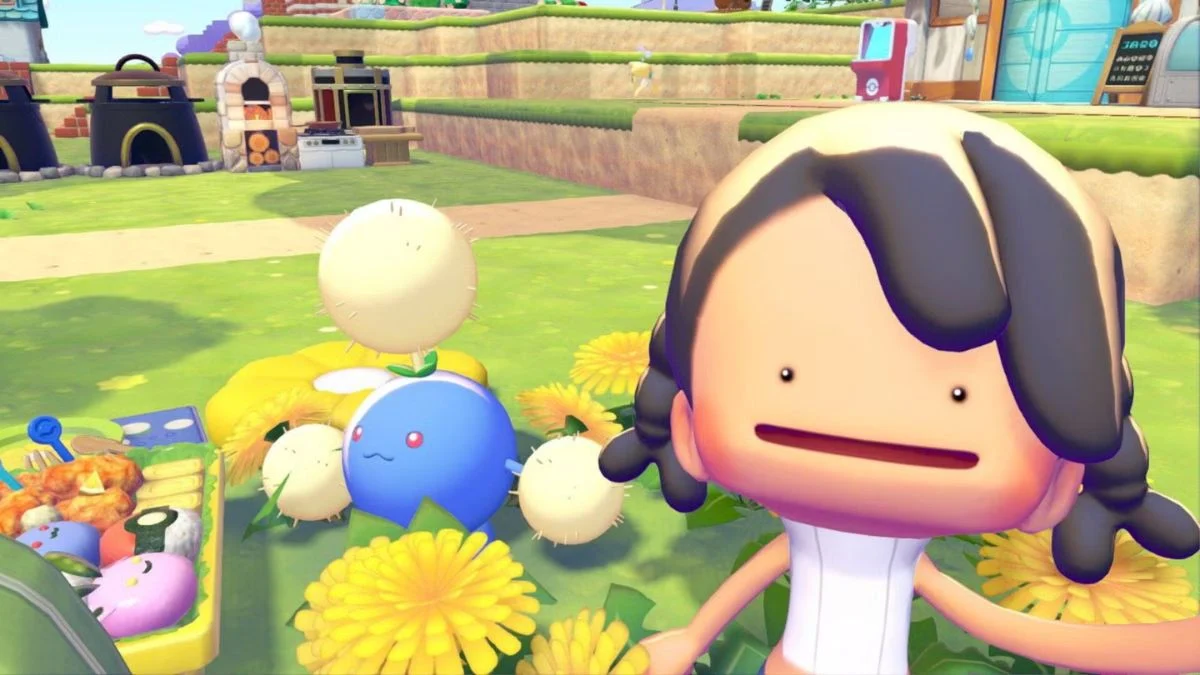
Missing a limited-time event in Pokémon Pokopia can feel brutal. You see other players showing off Pokémon you never had the chance to unlock, then realize the event shop is gone and those special habitat items are no longer obtainable through the normal event route. Thankfully, the community has uncovered a clever workaround that can potentially bring some of those expired event Pokémon back within reach.
The Pokémon Pokopia Missed Event Trick uses three systems that are already built into the game: Cloud Islands, the in-game camera, and the 3D Printer. You do not need to edit your save, change your Nintendo Switch system clock, install external software, or modify your game. Instead, you visit another player’s Cloud Island, photograph specific event-exclusive habitat objects, and use those photographs to reproduce the objects in your own game.
The method was first publicly detailed in mid-August 2026 by Reddit user ArcadiaCitizen_ and relies heavily on a Cloud Island created by @Mel_Shota. That island reportedly contains a huge collection of Pokopia items, including objects from previous limited-time events. As of August 20, 2026, the method is still being reported as functional, although it remains an unofficial, unintended workaround, not an officially supported method of replaying expired events.
More Platform News: Wondering if this whole event-hopping saga even applies to your console? For more, read our story on Pokémon Pokopia’s Nintendo Switch 1 availability.
How the Pokémon Pokopia Missed Event Trick Works
Normally, Pokémon Pokopia handles a limited-time event through a temporary event system. You participate during the event window, collect its special currency or resources, exchange them for exclusive objects, and then use those objects to construct habitats that attract the Pokémon associated with the event.
Once that event ends, the special event source disappears. Missed the event or failed to collect enough habitat pieces? Under the normal system, you would have to wait for the developer to potentially bring that content back.
The community workaround takes a completely different route.
The basic process is:
- Visit another player’s Cloud Island.
- Locate the event-exclusive habitat objects you need.
- Use the in-game camera’s item/object mode to photograph them.
- Make sure the game’s item label appears above the photographed object.
- Return to your own world.
- Use the 3D Printer to reproduce the photographed objects.
- Place the required objects together in your world.
- Recreate the habitat and attract the associated Pokémon.
The crucial detail is that this does not restart the expired event. You are not tricking the calendar into believing the event is active again. Instead, you are reproducing objects that already exist within the game’s item system.
That distinction matters because the event distribution system and habitat system appear to serve different purposes. The event controls how players originally obtain the special objects, while the habitat system still needs to recognize those objects when they exist in the world.
That is apparently what makes this workaround possible.
More Habitat Guides: Once your habitat’s built, the next question is whether your new arrival can level up at all. For more, check out our guide on whether you can evolve Pokémon in Pokémon Pokopia.
What You Need Before Trying It
You cannot jump straight into the trick from a brand-new save. There are several requirements.
First, you need an active Nintendo Switch Online membership because Cloud Islands are online content.
You also need the Mysterious Goggles. These are available from the PC Shop inside a Pokémon Center for 100 Life Coins. The goggles provide access to the Cloud Island functionality required for this method. Community guides also confirm that Mysterious Goggles and Nintendo Switch Online are required for accessing Cloud Islands.
Finally, you need access to the 3D Printer and enough Pokémetal or Rare Pokémetal Ingots to reproduce the objects you photograph.
That last requirement can become important very quickly. An event habitat can require several different pieces, so printing everything without checking what you actually need could burn through valuable materials.
More Multiplayer Tips: Since Cloud Islands run on your Switch Online connection, it’s worth knowing how far that connectivity actually stretches. For more, read our post on how to GameShare Pokémon Pokopia on Nintendo Switch 2.
The Cloud Island Everyone Is Talking About
The biggest piece of the current workaround is an item-packed Cloud Island created by @Mel_Shota.
The reported code is:
6DXL PD6F
This island is associated with a large collection of Pokopia items, including objects from previous limited-time events. That makes it particularly useful for players trying to recover habitat pieces from events they missed.
There is one major catch: Cloud Island codes are not permanent guarantees of access.
The creator can change the island. Nintendo can make an island unavailable. The island could also disappear for reasons unrelated to your own save. So treat 6DXL PD6F as a community resource, not a permanent official feature of Pokémon Pokopia.
The underlying trick can still work through another player’s island, provided that island contains the specific event objects you need.
Step 1: Buy the Mysterious Goggles
Head to a Pokémon Center and open the PC Shop.
Find the Mysterious Goggles, which cost:
100 Life Coins
Purchase them and use or equip them as required by the game.
The important point here is that you do not need any external software or system manipulation. The goggles provide access to the Cloud Island feature used by the workaround.
Step 2: Enter the Cloud Island
Use the Mysterious Goggles to access the Cloud Island interface.
Enter:
6DXL PD6F
This is the currently reported code for @Mel_Shota’s item-focused Cloud Island.
Once you arrive, start exploring.
The island reportedly contains a huge number of objects, so finding the exact piece you need can take some time. Before wandering around randomly, identify the Pokémon whose event you missed and determine which objects are required for its habitat.
You do not need to copy the entire island.
You only need the specific event-exclusive habitat components required for the Pokémon you want.
Step 3: Find the Event-Exclusive Habitat Items
This is where the hunt really begins.
Look around the Cloud Island for the special objects originally distributed through the limited-time event.
These are not simply ordinary furniture pieces. You are looking for the specific event-exclusive habitat components that allow the associated Pokémon to appear when the required combination is placed together.
And here is the good news: you do not need to physically take those objects from the other player’s island.
The trick is based on photographing them.
Once you find a required item, position yourself close enough for the game to identify it properly.
More Exploration Tips: Hunting through a sprawling stranger’s island goes a lot smoother once you can actually clear its obstacles. For more, read our guide on how to unlock jump in Pokémon Pokopia.
Step 4: Use the Item Camera Correctly
This is probably the most important step of the entire process.
When you have found the event object, switch to the in-game camera’s object mode.
Press:
Y
The goal is not simply to snap a nice-looking photograph.
You need the game to identify the object.
Position the camera until the item’s label appears above the object.
Once the label is visible and the game has recognized the item, take the photograph.
Repeat this process for every different event object required for the habitat.
Why the Item Label Is So Important
The photograph is doing more than preserving a picture of the item.
For this workaround, the photograph functions as the game’s method of identifying the object for the 3D Printer.
A random photograph from too far away may not provide the printer with the information you need. That is why the item’s label needs to be displayed before you take the picture.
Think of it as scanning the object rather than taking a souvenir photo.
Once you’ve successfully photographed one required piece, repeat the process for the remaining habitat components.
Step 5: Return to Your Own World
After photographing all the necessary objects, leave the Cloud Island and return to your normal world.
You do not need to remain on the other player’s island while creating the habitat.
The important information has already been captured through the photographs.
And this is where the workaround gets interesting.
The original event does not need to be active anymore. You are no longer attempting to obtain the item from the expired event. You are reproducing an object that the game can already identify.
That is the bridge between the expired event and your current save.
More Rare Finds: If your camera skills have you hunting for standout Pokémon everywhere now, there’s another rarity worth chasing back home. For more, read our story on does Pokémon Pokopia have shiny Pokémon.
Print the Missing Event Items and Rebuild the Habitat
Now comes the part where your rare materials start doing some serious work.
Step 6: Use the 3D Printer
Head to a Pokémon Center and access the 3D Printer.
The printer can reproduce qualifying objects using photographs taken with the appropriate camera functionality.
Look through the available items and find the event objects you photographed on the Cloud Island.
Select the object you want to reproduce and begin the printing process.
There is a cost, though.
The 3D Printer requires Pokémetal or Rare Pokémetal Ingots.
The exact material cost depends on the object, meaning a full event habitat can become expensive when it requires several unique pieces.
That makes preparation important. Before spending your materials, figure out exactly which habitat components the Pokémon requires.
There is no reason to waste Rare Pokémetal printing objects that have nothing to do with the habitat you are trying to recreate.
Step 7: Print Every Habitat Component You Need
One photographed item is not automatically enough.
Limited-time Pokémon can require a specific combination of habitat objects.
So, when a habitat uses several different event-exclusive pieces, you need to reproduce the necessary pieces rather than stopping after printing the first one.
For example, a habitat requiring three different event objects will not necessarily activate after you print only one.
Return to the 3D Printer as needed and reproduce the remaining components.
Once everything is ready, carry the objects to the area where you want to build the habitat.
Step 8: Rebuild the Event Habitat
Now comes the payoff.
Place the printed objects in your town according to the Pokémon’s habitat requirements.
The important detail is that these objects do not need to have been obtained while the original event was active.
The habitat system checks the objects that currently exist in the world when determining whether its requirements have been met.
That is why this workaround can potentially work after the official event window has closed.
Once the correct combination is present, the habitat can register and attract the associated limited-time Pokémon.
You can then interact with the Pokémon normally and add it to your town in the same general way as other Pokémon attracted through habitats.
And just like that, the event you thought you permanently missed may no longer be completely out of reach.
More Farming Tips: Habitats aren’t the only thing worth stocking up on — your fields need attention too. For more, read our post on how to get wheat in Pokémon Pokopia.
Why Does This Work After the Event Ends?
The apparent explanation is the separation between Pokémon Pokopia’s event distribution system and its habitat system.
The event determines how players originally receive the special objects. When the event expires, that distribution route disappears.
The habitat system, however, still needs to understand those objects when they exist in the game world.
That distinction becomes extremely important.
The 3D Printer appears to act as the bridge.
The event may no longer distribute the object, but another player can still have the object on a Cloud Island. The camera can identify it, the 3D Printer can potentially reproduce it, and the habitat system can recognize the resulting object.
So the workaround is not really about turning the event back on.
It is about using existing game systems to reproduce the physical habitat requirements after the original distribution window has disappeared.
That is also why changing your Nintendo Switch system clock is not required.
Which Pokémon Can You Get?
The trick has reportedly worked with previous limited-time Pokémon whose required habitat components are available on an accessible Cloud Island.
Reported examples include:
- Hoppip and its evolution line
- Sableye
- Jirachi
- Other Pokémon connected to previous limited-time events
The previous events associated with this content include More Spores for Hoppip, Sableye’s Gem Hunt, and Wish Upon a Jirachi. More recent event content includes Fetching Scales for Feebas.
However, this is not a universal method for every Pokémon.
There is one requirement you cannot bypass through this trick: somebody needs to have the relevant event-exclusive habitat objects available on an accessible Cloud Island.
No island containing the necessary objects means there is nothing for you to photograph and reproduce through this method.
That makes the workaround heavily dependent on the Pokémon Pokopia community preserving event objects on Cloud Islands.
More Crafting Guides: Chasing rare Pokémon takes patience, and so does building up your crafting stockpile between hunts. For more, read our article on how to make paper in Pokémon Pokopia.
The Feebas Event Does Not Need This Trick Yet
As of August 20, 2026, the “Fetching Scales for Feebas” event is still active.
Its current event window is:
August 13–28, 2026
So, for Feebas and Milotic, there is currently no reason to rely on the Missed Event Trick.
The intended route is still available, and participating in the live event is the safer and more straightforward option.
The workaround is mainly relevant to older events that have already ended, as well as potentially future events you miss.
Using an active event while you still can also means you do not have to depend on a community island, an unintended interaction, or a future-proofing gamble.
You Do Not Need to Change Your System Clock
One of the most useful parts of this workaround is what it doesn’t require.
You do not need to change the Nintendo Switch system date.
You do not need to time travel.
You do not need to edit your save.
You do not need homebrew software.
The current method instead follows this simple chain:
Cloud Island → Item Camera → Photograph → 3D Printer → Habitat
That makes it substantially different from traditional attempts to manipulate limited-time content through system-clock changes.
Online authentication and event systems can make clock manipulation unreliable, so changing your console date is not the basis of this current method.
More Resource Guides: Pokémetal isn’t the only supply worth farming before a big build — your crops matter just as much. For more, read our story on how to unlock tomatoes in Pokémon Pokopia.
How to Get More Pokémetal for the 3D Printer
The biggest practical hurdle may be the printer’s material requirements.
Printing several event-exclusive objects can consume a considerable amount of Pokémetal or Rare Pokémetal Ingots.
Need more resources?
Dream Islands can help.
The Dragonite Doll can be used to travel to Dream Islands, where you can gather additional resources to support your printing needs.
This becomes particularly useful when an event habitat requires several special objects.
Instead of printing one item, running out of materials, and having to stop halfway through the reconstruction, it makes sense to gather enough resources before starting.
What Happens When the Cloud Island Code Stops Working?
The code 6DXL PD6F should never be treated as a guaranteed permanent solution.
Cloud Islands are player-created content.
The creator can modify the island. Nintendo can restrict access. The island can disappear or become unavailable for other reasons.
That does not automatically mean the entire Missed Event Trick has been patched.
The actual requirement is simply an accessible Cloud Island containing the event objects you need.
So, should the current island disappear, the community could potentially continue the method by finding another island with the necessary items.
This is also why the long-term survival of the trick depends so heavily on Pokémon Pokopia players preserving event-exclusive objects and sharing useful Cloud Island collections.
Is the Pokémon Pokopia Missed Event Trick Safe?
This is where things get a little more complicated.
The method uses legitimate game features, but that does not make it an officially supported feature.
There is a very important difference between “the game allows these systems to interact this way” and “the developers officially intended players to use them this way.”
The current workaround does not require:
- Save editing
- Homebrew software
- External cheats
- Modified game files
- A hacked Nintendo Switch
- System-clock manipulation
Everything involved—the Cloud Islands, camera, photographs, and 3D Printer—is part of Pokémon Pokopia.
However, the method appears to exploit the interaction between these systems in a way the developers did not specifically intend.
For that reason, it should be treated as an unintended workaround, not a guaranteed feature.
Could You Get Banned?
As of August 20, 2026, there are no widespread reports of players being banned specifically for using the Missed Event Trick.
That said, there is no official guarantee that using the method is consequence-free.
Nintendo has previously taken action against individual Cloud Islands for policy violations, including cases involving inappropriate island names or other prohibited content. That shows Nintendo can restrict player-created online content when necessary.
A Cloud Island containing rare event objects could therefore become unavailable independently of whether the underlying printing method remains functional.
More broadly, Nintendo and The Pokémon Company can enforce their online-service rules and terms against unintended or abusive uses of game systems.
So the safest conclusion is simple:
There is currently no reported widespread ban wave targeting this workaround, but there is also no guarantee that using it carries zero risk.
That distinction is important.
More Personalization Tips: While you’re weighing the risks of this workaround, why not spruce up your own trainer while you wait it out. For more, read our guide on how to customise your character in Pokémon Pokopia.
Could a Future Update Patch the Trick?
Absolutely.
Because this method depends on the interaction between several existing systems, a future update could break it without removing Cloud Islands, the camera, or the 3D Printer individually.
A future patch could potentially:
- Prevent photographs of event-exclusive objects from being used by the 3D Printer.
- Make event items unavailable for printing after their events expire.
- Add another online verification step.
- Stop older event habitat objects from satisfying habitat requirements.
- Remove or invalidate duplicated event objects.
- Change how Cloud Island objects synchronize.
- Restrict access to islands containing certain event-exclusive objects.
Any one of those changes could end the current workaround.
There is no guarantee that the method will continue functioning indefinitely because it is a community-discovered interaction rather than an officially documented feature.
What About Your Save Data?
There is currently no indication from the reported method that simply visiting the Cloud Island, photographing objects, printing them, and using them in a habitat automatically corrupts a save.
Still, the game developers have not officially guaranteed what happens when players use this interaction.
Because the method relies on an unintended use of the game’s item systems, there is always some uncertainty when future updates change how those systems behave.
The sensible approach is therefore to view this as a workaround you are using at your own discretion, rather than as an officially supported recovery method for missed events.
The Biggest Practical Risk May Be the Island Itself
Interestingly, the most immediate problem may not be your Nintendo account or your save.
It could simply be losing access to the Cloud Island.
The current workaround depends on another player having the required event objects available. Remove that island, modify it, or lose access to it, and you can no longer use that island to photograph additional objects.
That creates a major single point of failure.
Once you have successfully photographed the necessary items and printed the required objects, losing access to the island afterward should not necessarily remove the habitat you have already built.
However, you would no longer be able to return to that island to photograph additional event objects.
That makes the timing important for players who want to preserve access to older event content.
Should You Use the Missed Event Trick?
For players who missed an event and desperately want the associated Pokémon, this workaround is certainly interesting.
It offers a way to potentially recover limited-time Pokémon without save editing, external software, hacked hardware, or system-clock manipulation.
But there is still a line between possible and officially supported.
The intended way to obtain limited-time Pokémon remains participating in their events while those events are active.
For expired events, the Missed Event Trick currently offers another route, but it depends on player-created Cloud Islands and on an interaction between game systems that could be changed at any moment.
So, from a player perspective, the choice comes down to how much you value the missed Pokémon and how comfortable you are with using an unintended mechanic.
Pokémon Pokopia Missed Event Trick: Current Status
As of August 20, 2026, the community-discovered Missed Event Trick is still being reported as functional.
The current process is:
Buy the Mysterious Goggles → visit an item-rich Cloud Island → find the required event objects → photograph them with their labels visible → return home → reproduce them using the 3D Printer → build the required habitat → attract the previously limited-time Pokémon.
The currently reported Cloud Island code is:
6DXL PD6F
You need an active Nintendo Switch Online membership to access Cloud Islands, the Mysterious Goggles cost 100 Life Coins, and the 3D Printer requires Pokémetal or Rare Pokémetal Ingots for reproduction.
The workaround has reportedly been used to recover Pokémon connected to previous events, including Hoppip and its evolution line, Sableye, and Jirachi.
Meanwhile, Feebas and Milotic do not currently require the workaround, because the Fetching Scales for Feebas event remains active from August 13 through August 28, 2026.
The method was first publicly detailed in mid-August 2026 by Reddit user ArcadiaCitizen_, with the currently circulated item-rich Cloud Island associated with @Mel_Shota.
Most importantly, there has been no specific official statement from Game Freak, Koei Tecmo, or The Pokémon Company addressing this particular Cloud Island/3D Printer method as of the latest information available in the supplied source material.
So, for now, the situation is pretty wild: Pokémon Pokopia appears to have a community-discovered backdoor for rebuilding some expired event habitats without turning back the clock.
It works through systems the game already gives players, but that does not make it an official feature.
Treat the method as unofficial, potentially temporary, and usable at your own discretion.
Disclaimer
This article describes a community-discovered workaround first detailed publicly in mid-August 2026. It is not an official feature of Pokémon Pokopia and is not endorsed by The Pokémon Company, Nintendo, Game Freak, or Koei Tecmo.
Primary Sources
- IGN – Missed Event Trick – Limited Time Pokemon Exploit
- Polygon – Pokémon Pokopia Player Discovers Trick to Get Missing Event Pokémon
- Kotaku – Pokopia Fan Figures Out How To Get Limited-Time Pokémon
- GAMINGbible – Pokémon Pokopia trick lets you unlock expired limited-time event ‘mon
- Image Credit: The Pokémon Company / Nintendo / KOEI TECMO GAMES / Polygon


Leave a Reply