

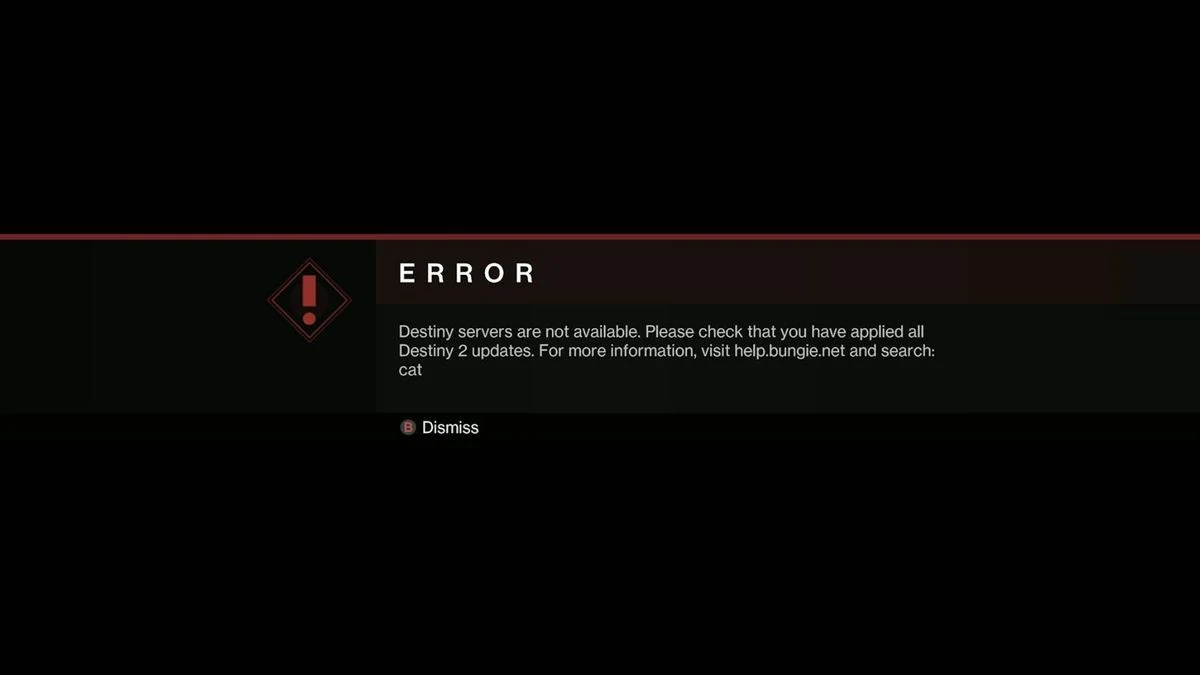
Guardians came back in force, and the Destiny 2 servers felt every single one of them. Following the release of The Final Shape, the game’s final major content update, players across the globe reported login errors, disconnections, and the now-familiar “Contacting Destiny 2 Servers” loop. If you tried to log in and hit a wall, you are definitely not alone. Here is everything you need to know about the current Destiny 2 server status and what is actually going on.

Destiny 2 Current Server Status: June 10, 2026
The Destiny 2 servers are currently online as of June 10, 2026. However, intermittent instability continues, particularly during peak hours. Many Guardians are able to play normally, but login queues and random disconnections remain an issue for some players.
Bungie posted a follow-up update on June 10 stating:
“We continue to monitor server stability following The Final Shape deployment. Thank you for your patience as we work through the remaining issues.”
Bungie is actively deploying hotfixes throughout the day to address the ongoing instability. However, the company has not provided an exact ETA for full stabilisation. You can follow @BungieHelp on X for real-time updates as they are posted.
On June 9, Bungie also issued the following statement acknowledging the initial issues:
“We’re aware of login and stability issues following today’s update. Our teams are working on it. Thank you for your patience, Guardians.”
Bungie also recommended that players wait 30 to 60 minutes between login attempts during high-traffic periods to reduce strain on the servers.

Why Are the Destiny 2 Servers Down?
There are two distinct reasons for the server issues players experienced:
Reason 1: Scheduled Maintenance for The Final Shape
Bungie took the Destiny 2 servers offline on June 9, 2026 at approximately 9:00 AM PDT for planned maintenance required to deploy The Final Shape, the game’s final major content update. This is a standard process Bungie carries out before significant patches, and the maintenance window was publicly communicated in advance via help.bungie.net.
However, the deployment ran into repeated delays. Bungie extended the maintenance window multiple times before the servers returned online at approximately 6:00 PM PDT on June 9, several hours later than initially expected.
Reason 2: Server Overload from Record Player Numbers
Once the servers came back online, the volume of players attempting to log in simultaneously overwhelmed Bungie’s infrastructure. The Final Shape update drew a significantly larger player count than usual, with Destiny 2 Steam player counts surging well above any figures Marathon had recorded at its peak. Players reported intermittent disconnections, login queues, and persistent “Contacting Destiny 2 Servers” messages throughout June 9 and into June 10.

Timeline of Events
| Time | Event |
| June 9, ~9:00 AM PDT | Servers go offline for scheduled maintenance |
| June 9, throughout the day | Maintenance window extended multiple times due to deployment delays |
| June 9, ~6:00 PM PDT | Servers return online with heavy instability |
| June 9, late evening | Peak login issues and error codes reported widely |
| June 10, ongoing | Servers online but intermittent instability continues during peak hours |
What Error Codes Are Players Seeing?
Several error codes appeared widely during the server instability period:
| Error Code | Reported Issue |
| Marmot | Server connection failure, affecting login |
| Weasel | Repeated disconnections mid-session |
| Contacting Destiny 2 Servers | Login loop, ongoing throughout the day |
The Marmot error in particular affected players even after verifying files, deleting and reinstalling the game, and checking crash logs. In most cases, this pointed to a server-side issue rather than a problem on the player’s end.
How to Check If Destiny 2 Is Down
You can check the current Destiny 2 server status through the following official and community-tracked sources:
- Bungie’s official server status page: help.bungie.net
- Bungie’s official support account: @BungieHelp on X, for real-time updates on ongoing issues
- Downdetector: Tracks community-reported outages and shows a real-time graph of problem reports over the past 24 hours
According to Downdetector data, the most commonly reported problems during the outage broke down as follows:
| Problem Type | Percentage of Reports |
| Server Connection | 52% |
| Login | 23% |
| Game Launch | 19% |

What to Do If You Cannot Connect
If you are still experiencing issues connecting to Destiny 2, here are the steps worth trying:
- Check Bungie’s server status page at help.bungie.net first to confirm whether the issue is on Bungie’s end before troubleshooting locally
- Follow @BungieHelp on X for the latest updates on server status and hotfix deployments
- Wait 30 to 60 minutes between login attempts during peak periods, as Bungie specifically recommended this during the June 9 instability
- Download any pending updates before attempting to log in, as missing update files can trigger connection errors including the Marmot code
- Uninstall and reinstall the game if the update does not apply automatically, as this forces a clean download
- Check Downdetector for community reports to gauge whether others in your region are experiencing the same issue
Is This a Known Issue?
Yes. Bungie publicly acknowledged the server instability following The Final Shape update on both June 9 and June 10, confirming their teams are actively monitoring the situation and deploying hotfixes. The issues stem directly from the combination of a delayed maintenance deployment and a record-breaking player surge on launch day. Some players reported a relatively smooth experience after the first 20 minutes of instability, while others continued to experience Weasel error disconnections throughout extended play sessions on both June 9 and June 10.

Key Takeaways
- Current status: Servers online as of June 10, with intermittent instability continuing during peak hours
- Root cause: Deployment of The Final Shape, the game’s final major update, combined with record player numbers
- Maintenance start: June 9, 2026 at approximately 9:00 AM PDT
- Servers returned: June 9 at approximately 6:00 PM PDT, with heavy instability
- Common error codes: Marmot and Weasel
- Bungie’s recommendation: Wait 30 to 60 minutes between login attempts during peak hours
- Most common issue reported: Server connection at 52% of Downdetector reports
- Hotfixes: Bungie continues to deploy hotfixes and monitor stability throughout June 10
- Full resolution: No exact ETA provided by Bungie; follow @BungieHelp for the latest updates
- Best resources: help.bungie.net and @BungieHelp on X


Leave a Reply