An illustration of a young woman with curly brown hair tied in a bun, wearing a yellow hoodie, sitting at her desk and focused on video editing. She is using a large monitor and a laptop. Her cozy room features brick walls, acoustic foam panels, string lights, a camera on a tripod by the window, and a bookshelf filled with tech gear. A wooden sign in the bottom right corner reads "Backyard Drunkard."

Be our strength by showing your love and support.

Support us to grow more, create more, and connect with curious minds across the world — where creativity becomes a universal language.

Shells Codes (July 2026): All Active Redeem Codes and How to Use Them

Published on

in

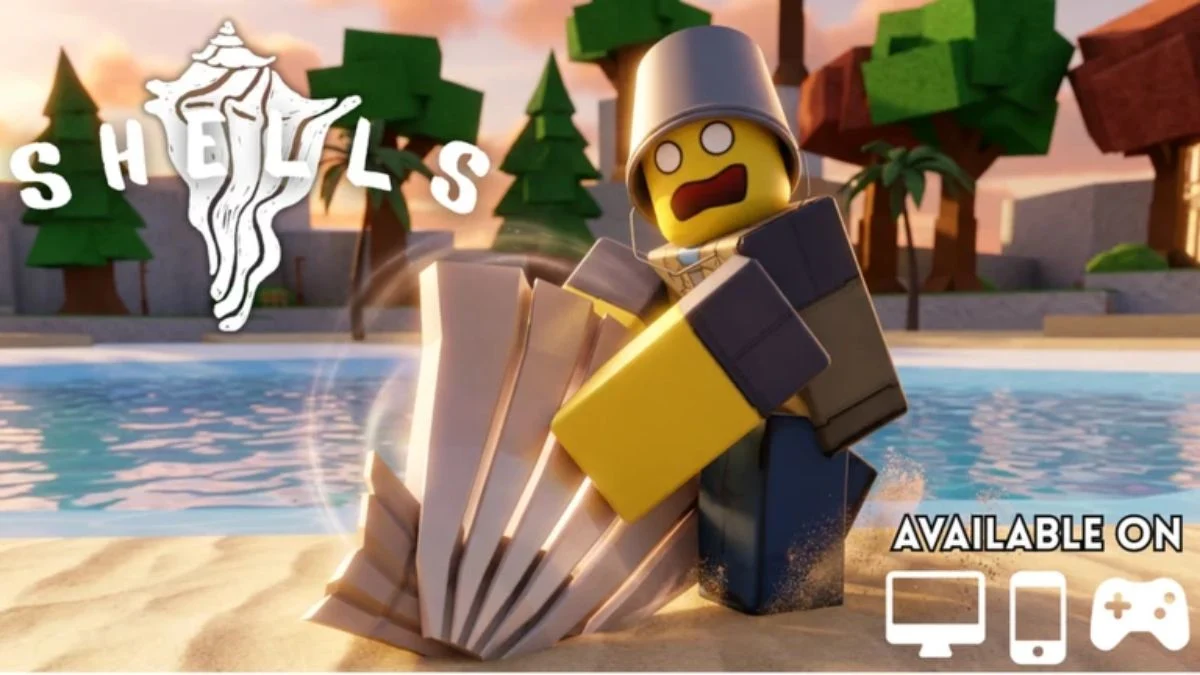
A Roblox character with a bucket on their head digging for a giant seashell on a tropical beach.

Shells is a relaxing Roblox beachcombing game where you dig through sand to collect rare seashells and sell them for upgrades. Free codes make the grind noticeably smoother, handing you Pearls, Charms, and Lucky Rolls without you having to earn every single one the hard way. However, these codes expire fast, so the sooner you redeem them, the better. Here is every working Shells code for July 2026 and exactly how to use them.

All Latest Shells Codes (July 2026)

Shells requires you to reach Level 10 before you can redeem any code, so get that grind in first.

CodeRewards
SORRY4THEDELAYGrants 20,000 Coins, 2,000 Pearls, and 25 Lucky Rolls. Requires Level 20. [New]
0PT1MIZ3DRedeem for 2,500 Pearls and 15 Lucky Rolls. Requires Level 20. [New]
SUMMEROASISUnlock 6,000 Pearls alongside 50,000 Coins. Requires Level 15. [New]
IMGETTINGANGRY!Provides 10,000 Coins, 2,000 Pearls, and 10 Lucky Rolls. No level requirement. [New]
FELIXCITOAwards 5,000 Coins, 500 Pearls, and 10 Lucky Rolls. Available from Level 0. [New]
OASISDEPTHClaim 10,000 Coins, 1,500 Pearls, and 20 Lucky Rolls after reaching Level 5. [New]
ARMAGEDDONRedeem for a bonus reward package. Requires Level 5.
LYTTAKEOVER2026Unlock a collection of complimentary in-game rewards. Requires Level 5.
UNIVERSALRESETSOONReceive a free reward bundle upon reaching Level 75.
HEIYUNISTHEBESTGrants assorted bonus items for Level 75 players.
LYTINGRedeem for exclusive in-game freebies. Requires Level 75.
LOVEYOUTOOUnlock additional reward items after reaching Level 75.
SORRYYOUGOTSTUCKProvides a selection of bonus rewards.
UPDATEFOURGOINGUNDERWATERClaim a free package of in-game goodies.
BlubBlubBlubSpecial reward code available to the first 1,000 players only.
ShellsUpdateNumeroTHREERedeem for complimentary rewards and bonuses.
20KFAVOURITESWOOPUnlock a free bundle of in-game items.
10KMEMBERSINTHEBLUEAPPGrants extra rewards at no cost.
MOUNTAINANDSKYISLANDWOWClaim a free collection of useful in-game rewards.
Slightly Older CodesRewards
ONLYFASTESTGETTHISCODEIn-Game Rewards
LUCKY1000 In-Game Rewards
LOTUSBLOSSOM2 Tide Charms, 1 Colossus Charm, 5 Starfish Charms, 5,000 Pearls, 5 Lucky Rolls
CHARMSFIXED1,000 Pearls
UPDATE1HOTFIXESANDBALANCES1,500 Pearls
FEELINGNICE1KPEARLS2,000 Pearls
QUESTBUGFIXEDMAYBEIDK500 Pearls
500LIKESWOOPWOOP5 Crystal Charms, 500 Pearls, 5 Lucky Rolls
1KPEOPLEINTHEBLUEAPP5 Starfish Charms, 500 Pearls

Important: All codes are case-sensitive. Enter them exactly as listed above, including capital letters, numbers, and any special characters.

How to Redeem Shells Codes

Before you can redeem any Shells codes, you need to complete two quick steps first. You must join the official A Shell Game community group on Roblox and you must reach Level 10 in the game. Once both conditions are met, follow the steps below.

  1. Launch Shells on Roblox.
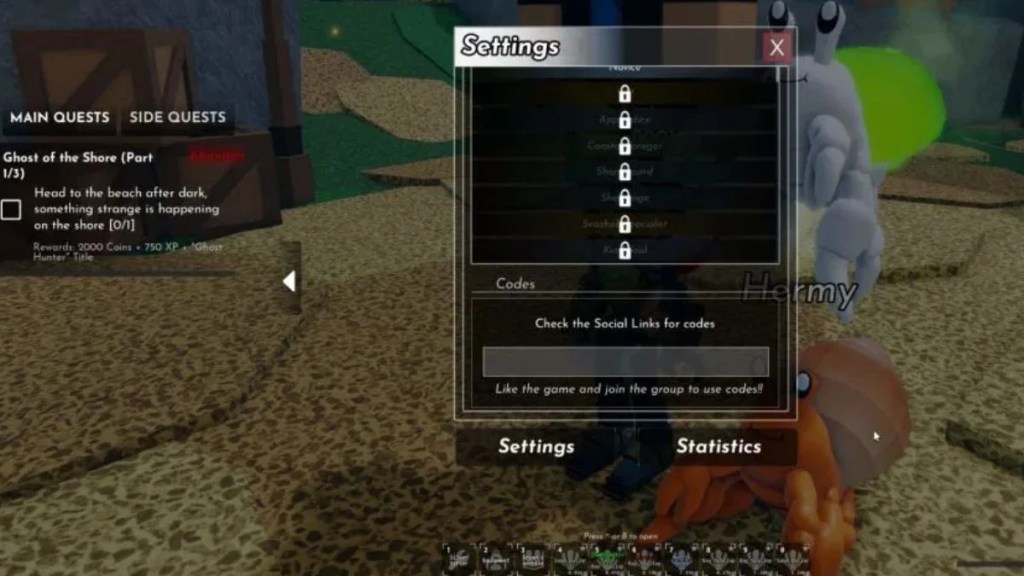
  2. Click the Settings icon (the cog) in the top-right corner of the screen.
  3. Scroll all the way down to the bottom of the Settings menu.
  4. Find the Codes input field.
  5. Type or paste your code into the box.
  6. Press Enter on your keyboard.
  7. Check your inventory for the rewards.
Roblox Shells game settings menu showing the Codes input box at the bottom.
Image Credit: A Shell Game

That is all there is to it. Rewards appear immediately, so there is no need to check a mailbox or collect from a separate menu.

What Are Pearls, Charms, and Lucky Rolls Used For?

If you are new to Shells, here is a quick breakdown of what each reward type actually does for your progression.

  • Pearls — The primary currency for rolling traits on your digging gear. Better traits directly improve your dig speed, luck stat, or maximum carry weight.
  • Charms — Equippable items that provide passive boosts. Rarer Charms such as the Colossus Charm offer stronger effects.
  • Lucky Rolls — Give you improved odds when rolling for traits, helping you land better upgrades without burning through your entire Pearl stash.

In short, stacking Pearls and Rolls early on puts you in a much stronger position when you reach the harder islands and face rarer shell tiers.

How to Reach Level 10 Fast

Since Level 10 is required to redeem any Shells codes, it helps to know the quickest way to get there.

  • Pick up quests from NPCs on the first island as soon as you land. Many of these quests ask for shells you will naturally dig up while exploring.
  • Talk to Jeff at the end of the pier and Sarah on the rocks near the shops early. Both hand out quests with solid EXP rewards.
  • Hold onto the shells they request and sell the rest to the Merchant for Coins.
  • Walk around the full island to find additional quest-givers, including a ghost at the peak and Daemon on the far side of the beach.

Following this route, most players reach Level 10 within a single session.

Expired Shells Codes

The codes below no longer work. They are listed here so you do not waste time trying them.

FEELINGNICE1KPEARLS, 1THOUSANDLIKESALREADY, 1500GROUPMEMBERSWOW, 1kPearls!!, LUCKY1000, ONLYFASTESTGETTHISCODE, Release, SORRYFORTHESPAMSHUTDOWNSOOPSIEDOOPSIEMYFAULTGUYSIMTIRED, SORRYFORTHEBUGS

Where to Find New Shells Codes

New codes typically drop when the game hits a milestone, such as a set number of likes or group members, or when the developer pushes a significant update or bugfix. To stay on top of them:

  • Join the official Shells Discord server at discord.com/invite/shells. The developer posts codes in the dedicated codes channel and shares update announcements in the announcements and updates channels.
  • Bookmark this page, as it gets updated as soon as new codes are confirmed.

Leave a Reply

Backyard Drunkard Logo

Follow Us On


Categories


Discover more from Backyard Drunkard

Subscribe now to keep reading and get access to the full archive.

Continue reading