

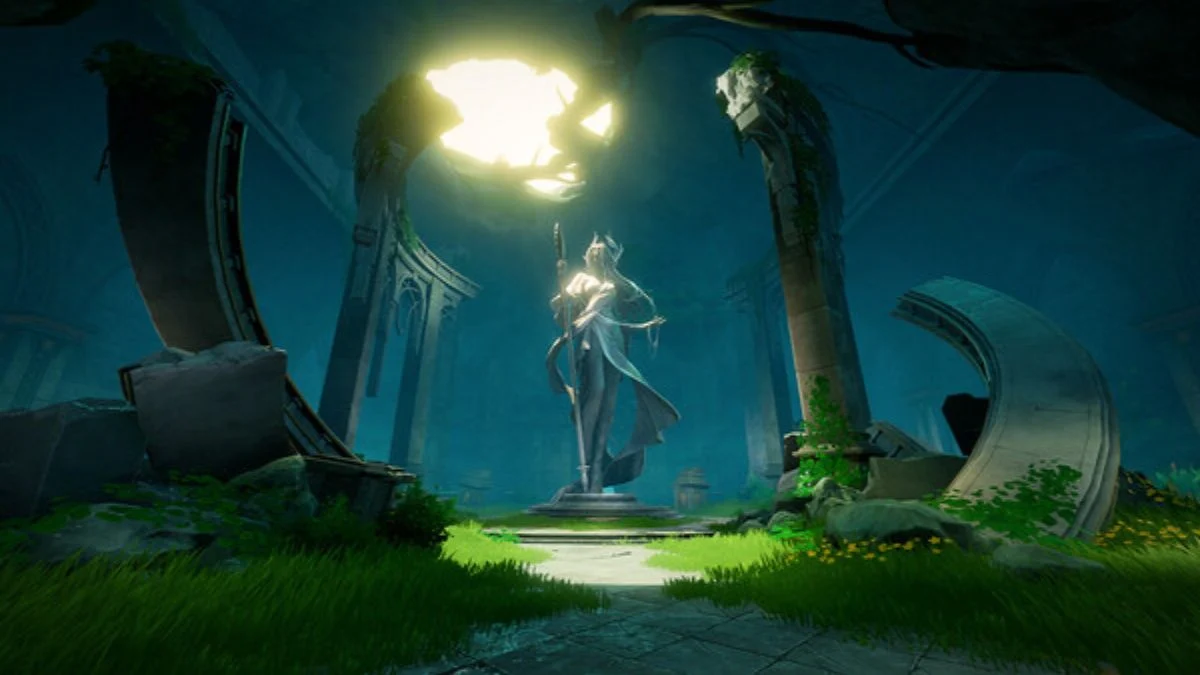
With its dual-protagonist storyline and a dynamic combat system that lets players swap between melee and ranged weapons seamlessly, DNA has quickly become one of the most technically ambitious titles in the free-to-play RPG genre.
But as its visuals dazzle and its mechanics push the boundaries of fluid gameplay, many are asking the essential question: Can your system truly handle the Abyss?
This guide explores the official and community-tested system requirements for Duet Night Abyss across PC, Android, and iOS, helping you achieve the smoothest and most immersive performance possible.
The Technical Soul of Duet Night Abyss
The game’s dual narrative, told through two protagonists from contrasting worlds, demands artistic and computational precision. Its blend of cinematic cutscenes, physics-driven animations, and high-resolution textures makes Duet Night Abyss far more demanding than the average mobile or PC RPG.
Unlike most gacha-style titles, it delivers real-time 3D combat with multi-weapon switching, aerial and ground maneuvers, and free camera movement, all wrapped in a visually rich, mechanically fluid world. These features explain its robust system requirements across platforms.
Duet Night Abyss PC System Requirements (Official Release Build)
Minimum Requirements

- OS: Windows 7 (64-bit)
- Processor: Intel Core i5 (9th Gen) / AMD Ryzen 5 2600X or better
- Memory: 16 GB RAM
- Graphics: NVIDIA GeForce GTX 1060 / AMD Radeon RX 580
- Network: Broadband Internet Connection
- Storage: 32 GB available space
Recommended Requirements
- OS: Windows 10 (64-bit) or later
- Processor: Intel Core i7 (10th Gen) / AMD Ryzen 7 3700X or better
- Memory: 32 GB RAM
- Graphics: NVIDIA GeForce RTX 2060 / AMD Radeon RX 5700 XT
- Network: Broadband Internet Connection
- Storage: 40 GB available space
Note: Since January 2024, Steam no longer supports Windows 7 or 8. For the smoothest performance, play on Windows 10 or 11.
Performance Insights

Players have reported that Duet Night Abyss runs decently on 16 GB setups, but its demanding memory allocation means 32 GB RAM offers a significantly smoother experience, especially when running other apps in the background. On GPUs like the RTX 2060, the game maintains 60 FPS at high settings; however, older cards such as the RX 580 may struggle without optimization patches or updated drivers.
Duet Night Abyss Mobile System Requirements
Android Devices
| Category | Minimum | Recommended |
| OS | Android 12 or newer | Android 14 or newer |
| CPU | Snapdragon 8 Gen 1 / Dimensity 9000 | Snapdragon 8 Gen 3 / Dimensity 9300 |
| RAM | 8 GB | 12 GB or higher |
| Storage | 20 GB free space | 20 GB free space |
Community feedback confirms that flagship models like the Galaxy S24 Ultra and Xiaomi 14 Pro handle the game flawlessly at max settings. Devices below Snapdragon 8 Gen 1 may experience frame dips or throttling during heavy combat or cinematic sequences.
iOS Devices
| Category | Minimum | Recommended |
| Model | iPhone 12 or above | iPhone 14 Pro or newer |
| OS | iOS 15.0 or later | iOS 17.0 or later |
| Storage | 20 GB available | 20 GB available |
Apple’s A16 and A17 Bionic chips perform exceptionally well with Duet Night Abyss’s rendering demands, keeping frame rates stable even during multiplayer encounters. Players on iPhone 11 and older models may experience noticeable lag or loading delays.
Real-World Performance and Optimization Notes
Post-launch reports from early players suggest the following patterns:
- AMD RX 580 users have noted inconsistent frame rates due to driver compatibility issues.
- Intel Arc A380 and RTX 20-series GPUs perform surprisingly well on balanced settings.
- On Windows 11, stuttering can occur when multitasking or recording gameplay; optimizing system memory allocation mitigates this.
- Mobile devices with active cooling or gaming modes maintain better thermal stability during extended sessions.
Overall, the optimization remains solid across platforms, though Pan Studio is expected to roll out further performance patches throughout Q4 2025.
Preparing for a Smooth Gameplay
Before venturing into the abyss, ensure:
- Your graphics drivers are up to date.
- You’ve enabled Game Mode (on Windows) or equivalent performance modes on mobile.
- You allocate 40 GB+ of free space to accommodate future patches and events.
The game’s dual-narrative structure and fluid battle mechanics deserve to be experienced without technical hindrance, and the right setup makes all the difference.
More Trending Guides:


Leave a Reply