

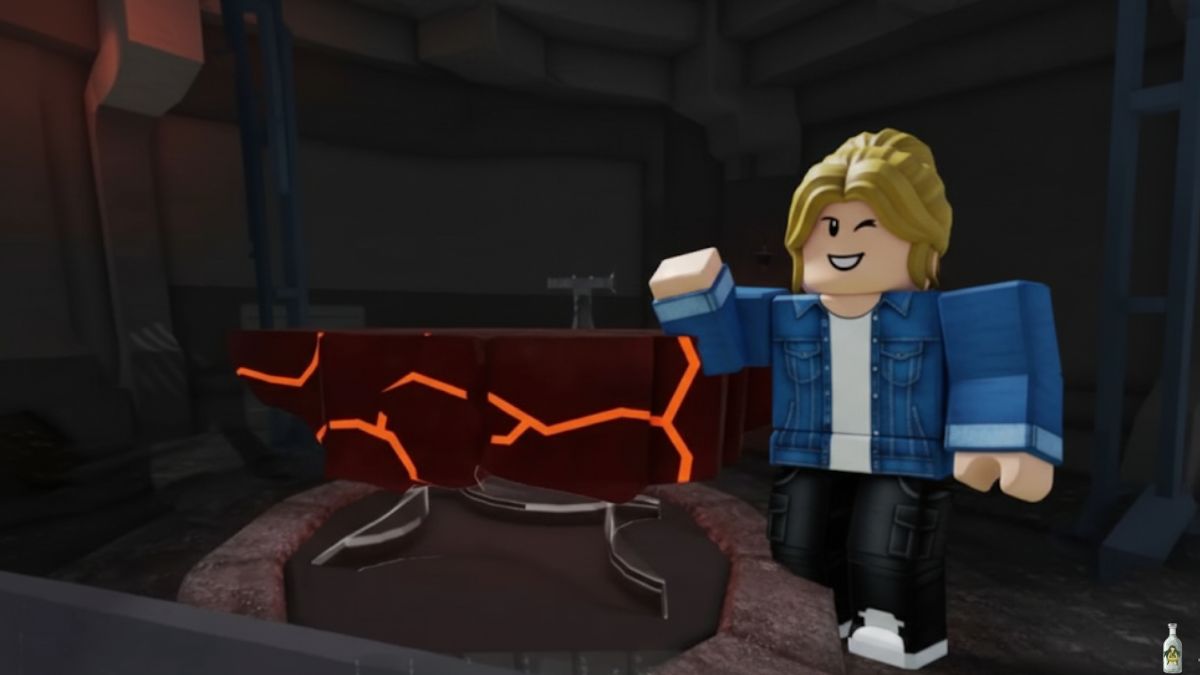
The Meteor Shower update in 99 Nights in the Forest didn’t just bring falling rocks; it introduced a brand-new workstation — the Lava Anvil. This glowing forge sits in hidden corners of the map and turns the meteor loot you’ve gathered into some of the strongest gear in the game.
If you’ve already learned how to chase meteor impacts and refine Obsidiron Ingots, the Lava Anvil is your next step. This guide explains where to find it, how to activate it, and exactly what you can craft once it’s running.
What the Lava Anvil Does in 99 Nights in the Forest?
Think of the Lava Anvil as the advanced version of the Meteorite Anvil. Instead of simply assembling items, it lets you:
- Apply trims to axes and armour for permanent stat boosts.
- Craft new Obsidiron gear such as boots, helmets, and the coveted Obsidiron Chest.
- Process materials on the spot so you don’t have to trek back to your base.
Because it’s located in the open world rather than inside your base, the Lava Anvil becomes a mobile upgrade station for high-tier players.
Finding the Lava Anvil in 99 Nights in the Forest

- Spawn location: The Lava Anvil appears at random outdoor spots after the Meteor Shower update. It is not inside the volcano; you’ll need to explore.
- Visual cues: Look for a dark stone platform with orange cracks glowing like magma. Plumes of heat shimmer around it.
- Map status: The anvil is not automatically marked. Some servers show it as a small anvil icon once you’re nearby; others don’t.
- Condition: Occasionally, you’ll find the anvil damaged. Approach and repair it with your stored Meteor Shards before you can use it.

Tip: Farm meteor materials first, then search for the anvil. Arriving with a full kit saves multiple trips.
Using the Lava Anvil Step by Step

- Interact: Once you’ve located and repaired the Lava Anvil, walk up and hold E (or your platform’s interact key) to open the Meteorite Anvil Tool Workshop interface.
- Load materials: Place Meteor Shards, Gold Shards, and refined Obsidiron Ingots into the required slots. The menu shows recipes you’ve unlocked.
- Select upgrades or crafts: Choose from trimming existing equipment (e.g., Axe Trim for higher damage, Armour Trim for extra defence) or crafting new Obsidiron items.
- Confirm and craft: Watch the progress bar complete; the crafted or upgraded item appears in your inventory.
Because the anvil sits in an active zone, be ready to defend yourself from Meteor Crabs or wolves while crafting.
Key Recipes at the Lava Anvil
While the anvil can show multiple recipes, the Obsidiron Chest remains the headline craft. It provides storage plus a unique badge reward.
| Item | Meteor Shards | Gold Shards | Obsidiron Ingots | Notes |
| Obsidiron Chest | 20 | 15 | 10 | Grants badge, diamonds, Blue Flame boosts, themed weapon on opening. |
| Obsidiron Boots | 10 | 5 | 5 | Adds movement and defence bonuses. |
| Axe Trim | 5 | 2 | – | Increases mining speed and axe durability. |
| Armour Trim | 5 | 3 | – | Boosts resistance vs. Meteor Crabs. |
Pro tip: Keep at least a stack of Meteor Shards and several Obsidiron Ingots in your sack so you can craft or upgrade as soon as you reach the anvil.
Refining Obsidiron for Lava Anvil Recipes

If you’re short on Obsidiron Ingots:
- Mine Raw Obsidiron Ore from meteor craters.
- Break it by tossing from a high place.
- Heat it in lava at or near the crater to create Scalding Obsidiron.
- Cool it in water to harden into an Obsidiron Ingot.
Repeat until you have enough for your chosen recipe. Skipping any step will prevent the anvil from recognising your material.

Tips for Safe and Efficient Crafting
- Clear enemies first: Crafting at the Lava Anvil leaves you vulnerable. Secure the area.
- Bring a large sack: Carry all required materials to avoid mid-craft runs.
- Team up: Friends can defend you while you interact with the anvil.
- Check durability: Apply trims early to extend tool life before heading back out.

Detailed Guide: Roblox 99 Nights in the Forest: Complete Meteor Mining Guide
The Bottom Line
The Lava Anvil in Roblox 99 Nights in the Forest is more than a novelty — it’s your gateway to late-game gear and exclusive badges. By knowing where it spawns, repairing it on arrival, and stocking the right mix of Meteor Shards, Gold Shards, and Obsidiron Ingots, you can turn every meteor shower into permanent upgrades.
Keep your eyes open for its glowing cracks, arrive prepared, and you’ll transform the chaos of falling meteors into some of the most powerful equipment in the forest.

More 99 Nights in the Forest Guides:


Leave a Reply