

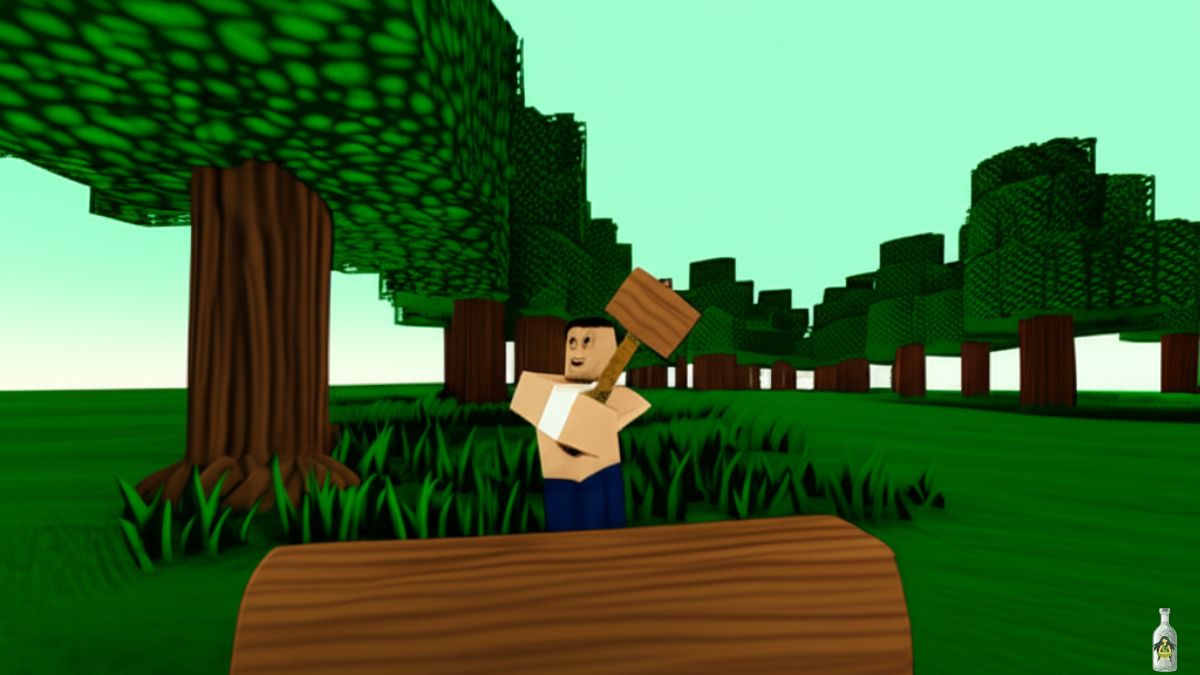
In 99 Nights in the Forest, building and managing your base is just as important as fighting off wolves and cultists. While weapons keep you alive, the Hammer keeps your camp organized. This handy tool lets you move placed structures, collect decorations, and reorganize your base without wasting precious resources.
If you’ve ever misplaced your walls or wanted to redecorate with wolf heads and alien holograms, this is the tool you need. Here’s the complete guide on how to get the Hammer, how to craft it, and all the ways to use it effectively.
Where to Get the Hammer in 99 Nights in the Forest?
The Hammer is crafted at the Workshop, a special building introduced during the Furniture Update. But before you can craft it, you need to locate and unlock the Workshop:
- Find the Workshop (Anvil Base)
- Look for a large gray building with an anvil symbol on its exterior.
- It commonly spawns in Biome 2, but check your map thoroughly.
- The entrance is barricaded—cut it down with an axe to enter.
- Look for a large gray building with an anvil symbol on its exterior.
- Clear Out Cultists
- Three cultists spawn inside, including one ranged shooter.
- Defeat them to safely explore the building.
- Three cultists spawn inside, including one ranged shooter.
- Rebuild the Anvil to Unlock Crafting
- Locate the three anvil parts:
- Main room floor
- Second floor via vines
- Roof area past the second part
- Main room floor
- Assemble the parts in the center of the main room to activate the Workshop.
- This unlocks advanced crafting, including the Hammer.
- Locate the three anvil parts:

Read in Detail: 99 Nights in the Forest Anvil Guide: Where to Find & How to Use?
Tip: The Decorator and Blacksmith classes start the game with a Hammer, so if you want early access, consider spawning as one of these classes.
How to Craft the Hammer in 99 Nights in the Forest?
Once the Workshop is ready, crafting the Hammer is simple but resource-dependent. Here’s the recipe:
| Material | Quantity | How to Obtain |
| Log | 5 | Chop down trees across the forest |
| Scrap | 5 | Loot ruins, grind items, or salvage from enemiespull |
Quick Note: Both materials are common, so the real challenge here is unlocking the Workshop safely, not gathering the resources.
How to Use the Hammer in 99 Nights in the Forest?
The Hammer is a utility tool for managing your base rather than fighting enemies. Here’s how to make the most of it:
- Equip the Hammer
- When held, nearby movable furniture and structures turn yellow.
- Click or interact to pick up and move these objects anywhere in your base.
- When held, nearby movable furniture and structures turn yellow.
- Move and Reorganize Structures
- Perfect for optimizing your layout, clearing space for upgrades, or relocating furniture without scrapping it.
- Saves logs and scrap that would otherwise be spent rebuilding items.
- Perfect for optimizing your layout, clearing space for upgrades, or relocating furniture without scrapping it.
- Collect Decorations
- The Hammer can collect many decorations around the map, letting you bring unique items back to camp, such as:
- Hoops
- Alien holograms
- Wolf head trophies
- Hoops
- The Hammer can collect many decorations around the map, letting you bring unique items back to camp, such as:
- Limitations
- Teleporters cannot be picked up—they are permanently placed.
- Always check if the furniture highlights yellow before attempting to move it.
- Teleporters cannot be picked up—they are permanently placed.
Tips for Efficient Hammer Use
- Plan Before You Place: Place furniture temporarily, then reposition it later using the Hammer to save materials.
- Avoid Rearranging During Raids: Moving items in battle leaves you exposed to wolves and cultists.
Decorate as You Explore: Collect unique items during exploration runs to make your base visually distinctive.
Similar Game Guides:


Leave a Reply