


When I first scrolled through the Palworld 1.0 patch notes, the multiplayer section actually surprised me. I’ve spent countless hours squadding up with friends across different time zones, and the amount of quality-of-life work Pocketpair poured into this update makes co-op finally feel like it was built for groups from the ground up, not bolted on afterward.
Palworld has always been a fun game to play with friends, but 1.0 pushes multiplayer into a completely different league. Whether you’re playing with mates in the US or coordinating a guild raid with players in the UK, these changes make a difference.
Pocketpair has also shared updated guidance around modding alongside this same patch. To know more, read our article Can You Use Mods in Palworld 1.0?
Now, without wasting any more seconds, let’s get into all the changes the new update has brought to Palworld Multiplayer. This guide contains all you need to know about the multiplayer overhaul, including the new voice chat feature, the reworked text chat, guild improvements, and server upgrades.
In-Game Voice Chat
Let’s start with the most exciting feature first! Palworld 1.0 just added an in-game voice chat feature for the first time. That’s right! No more delay or guesswork in multiplayer matches anymore; you can just enable this feature and coordinate with your friends smoothly.
You can use voice chat when enabled in the world settings of a dedicated server.
However, like all good things in life, this also comes with a catch: voice chat is not supported on WinGDK right now.
Meanwhile, for compatible devices, server hosts control voice chat through a few settings in the world configuration:
| Setting | What It Does |
| bEnableVoiceChat | Turns in-game voice chat on for the server |
| VoiceChatMaxVolumeDistance | Distance within which voices play at full volume |
| VoiceChatZeroVolumeDistance | Distance at which voices fade to silence |
You can change these by opening your server’s PalWorldSettings.ini file, editing the relevant option inside the OptionSettings=(…) line, then saving and restarting the server.
Worth noting: since voice chat only works through a dedicated server setup, casual co-op hosts running the simpler in-game hosting option won’t get access to this feature natively. If voice chat is a priority to your group, you’ll need to be running an actual dedicated server rather than a quick co-op session.
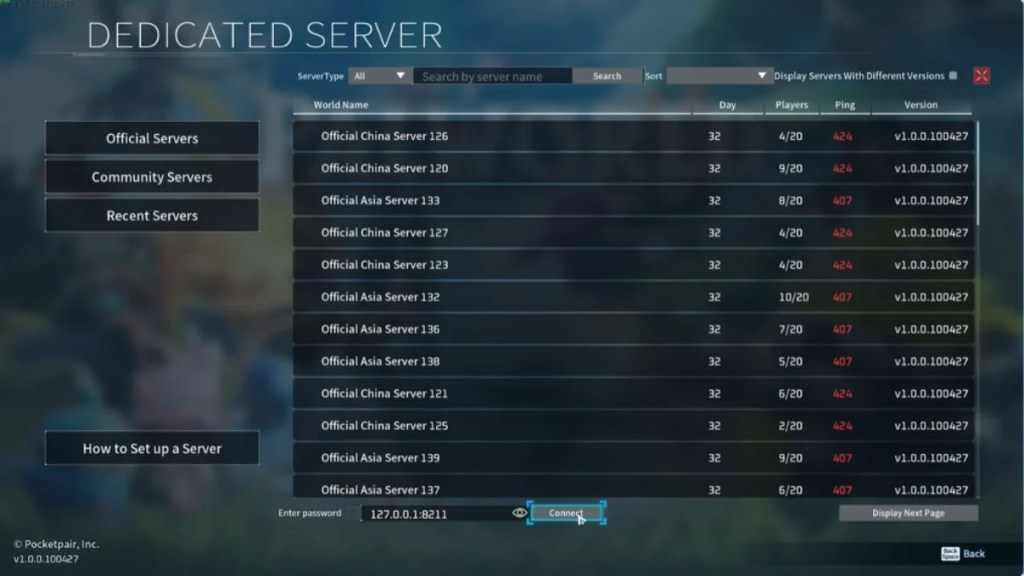
Setting one up properly involves a fair bit of configuration work. To know more, read our post Palworld 1.0 Dedicated Server Setup.
I recently spoke to a few players who are having trouble activating this feature, so I will be covering a separate guide on how to fix the most common issues related to voice chat soon.
Improved Guild Features
Alright, next up. Guilds also received a serious upgrade in this update, and the changes go well beyond a simple UI refresh. Pocketpair has improved guild functionality by adding multiple roles, with various permissions that can now be assigned to each role.
Here’s what’s new for guild management:
- Multiple roles with customizable permissions
- Notification settings for member login and logout events
- A new guild marker feature for shared coordination
- Significantly strengthened security, making shared base management in multiplayer easier
- Certain structures now include a feature that restricts access to specific roles only
These additions make it much easier to run a larger guild without worrying about unwanted access to shared bases or resources. This makes the role-playing aspect of the game much more detailed, and I am loving it so far.

Improved In-Game Chat
Text chat also got a meaningful overhaul in Palworld 1.0. Pocketpair improved the in-game chat to make it easier to use, with upgrades to SYSTEM messages and safety enhancements such as anti-impersonation measures.
Key improvements include:
- Better formatting and labeling for SYSTEM messages
- Anti-impersonation measures to prevent players from pretending to be someone else
- The ability to scroll back through up to 200 lines of chat history
Discord Integration
To make things even smoother, the new update adds the option to link your Discord account to the game, and this feature is entirely optional. But I recommend doing it if you are more into co-op.
Linking your Discord account makes it easier to invite friends to play together. However, this feature is only supported on the Steam and Mac versions of the game currently.

Server and Connection Improvements
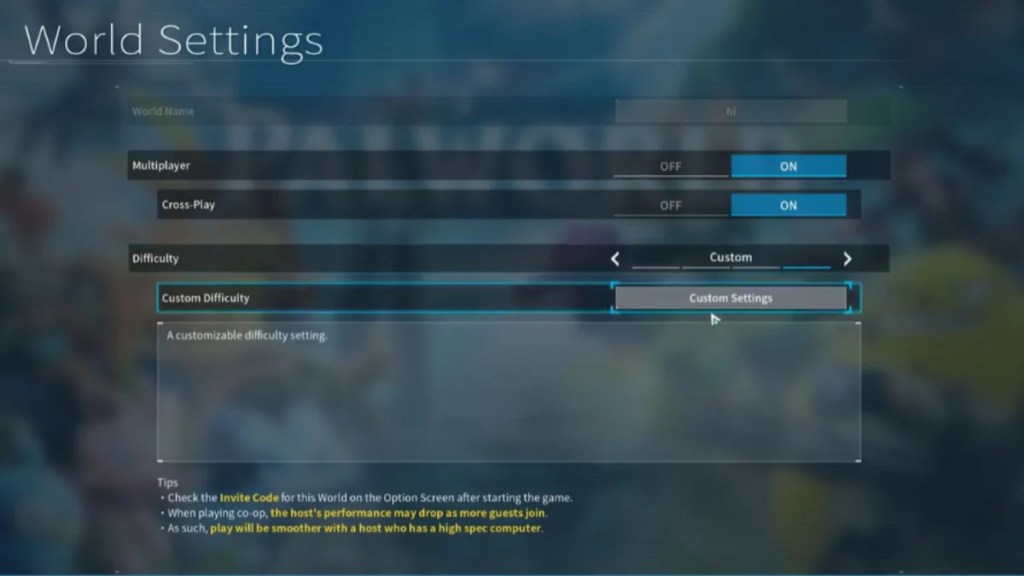
Beyond chat and voice features, Pocketpair also made several changes aimed at making the actual process of joining and playing on servers smoother:
- Improved the joining process for multiplayer
- Enhanced server password saving and restoration
- Better IP address input usability
- Improvements to the save process to reduce the risk of save data corruption
- Stability improvements for dedicated servers, co-op play, and across all platforms
- A server address hiding mode added for streaming purposes
- An icon now displays when the connection to a server is unstable
- The server list screen has been improved for better usability
Other Multiplayer Adjustments
This sums up the main additions to the multiplayer mode. Now let’s talk about the handful of smaller changes made to the mode. While these are only minor changes, they do enhance the quality of gameplay:
- The number of raid boss battles that can occur simultaneously within a guild has been limited to a maximum of one
- Login and logout notifications for guild members have been added
- System messages now include color coding
- The multiplayer starting point has been adjusted to match single-player
- Main missions can now be progressed in PvP mode
- The name of the player who placed a structure, as well as the guild name, will now display
- The default world settings for dedicated servers have been adjusted to closely match single-player Normal difficulty
- On dedicated servers, when the relevant option is enabled in world settings, the ID of the player who placed a structure will now display
Breeding and Pal growth also saw major changes in this same update. To know more, read our article Palworld Evolution Secrets Revealed: Can Your Pals Actually Evolve in 1.0?

If you wish to play with your friends across different platforms, check our post on:
Is Palworld Crossplay in 2026? Full Cross-Platform Guide for PC, PS5, and Xbox
How will these changes affect your gameplay with your squad?
Between voice chat, a genuinely improved text chat system, expanded guild roles, and Discord integration, Palworld 1.0 finally gives us multiplayer enthusiasts just the right tools to organize properly instead of relying entirely on outside apps.
That said, voice chat still requires a dedicated server with the right settings enabled, so solo players hosting through simpler methods won’t get the same experience without setting one up.

If you’re planning to squad up for the new World Tree content or take on the reworked wave-based raids together, these multiplayer upgrades make coordinating with your group much smoother than it was during Early Access.
Building the strongest possible team for those raids also comes down to picking the right passive skills for your Pals. To know more, read our article Palworld 1.0: Every New Passive Skill and What It Actually Does?
These were all the recent tweaks made to the multiplayer mode in the Palworld update. Let me know if you want me to explain these changes in more detail. I have already started to work on the voice chat guide for now. Till then, this guide will give you the basic idea of what awaits you in multiplayer mode.


Leave a Reply