

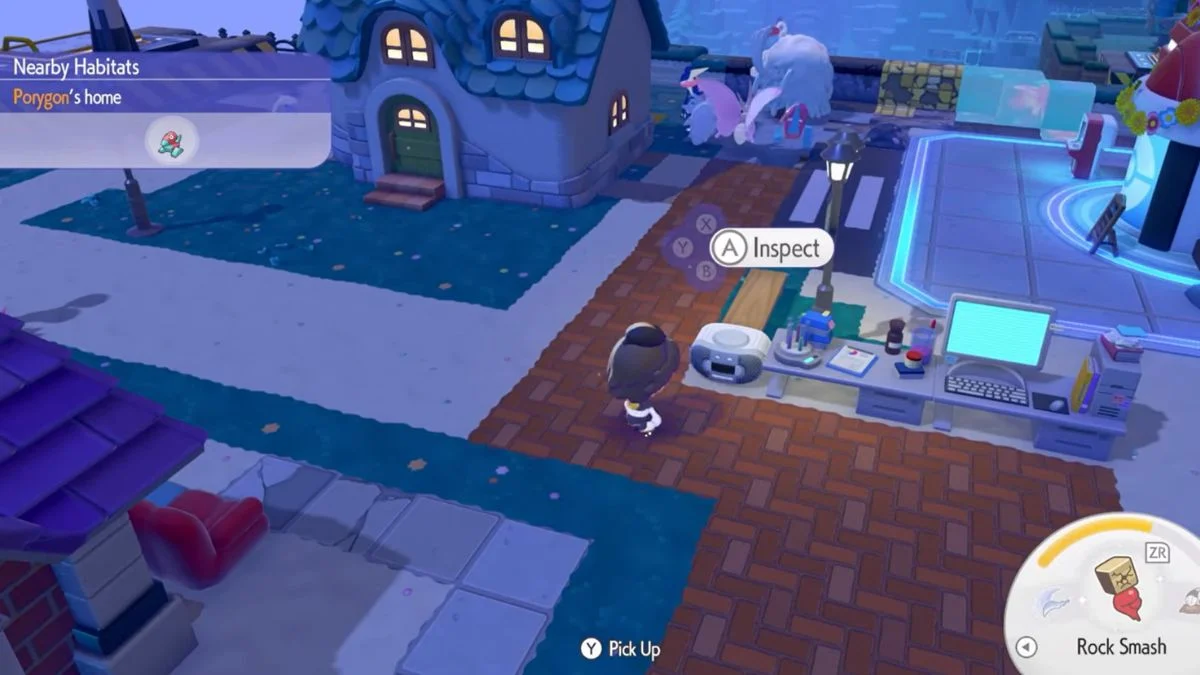
Music personalisation in Pokémon Pokopia goes deeper than most players initially realise. Between the CD Player, DJ Rotom, and the growing list of collectible CDs spread across every area of the game, there is a full music system waiting to be unlocked. The CD Player lets you customise your base music with tracks spanning every generation, from Pallet Town to Area Zero, while DJ Rotom handles the town-wide vibe. This guide covers everything you need to know, from powering up your CD Player and crafting it in the first place, to hunting down collectible discs and getting the most out of DJ Rotom’s playlist system.
Pokémon Pokopia CD Player: Quick Overview

| Feature | Details |
| Power Requirement | Needs an active power connection to function |
| CD Usage | Manual insertion required from your inventory |
| Music Variety | Depends on which CD is inserted |
| Arrangement Options | Adjustable after inserting a CD (not all CDs have multiple arrangements) |
| CD Limit | Only one CD can be active at a time |
| Playback Range | Audible only within short range of the placed player |
| Alternative Music Method | Give CDs to DJ Rotom to change town-wide music |
How to Get a CD Player
Crafting (Primary Method) The CD Player recipe unlocks once you raise Sparkling Skylands to Environment Level 3, after which it appears in the Pokémon Center PC shop there. Sparkling Skylands is the fourth area, reachable via the northern Area Gate in Rocky Ridges or through Bleak Beach gates at Ultra Trainer Rank.
Crafting materials: CD Rack (x1) + Magazine Rack (x1) + additional electronics, all crafted at the Workbench. Check the in-game recipe for the exact full list.
Finding One in the World At least one pre-built CD Player exists in Sparkling Skylands. Community players have also confirmed one in Rocky Ridges, in or near the museum’s audio mixer room, sometimes under volcanic ash. Some players find one here before ever crafting, so explore carefully as you go.

How to Set Up and Use the CD Player

- Step 1: Place in a powered area. Position it somewhere you can wire it into your power network. Music is only audible within a short range of the player, so placement matters for your base layout too.
- Step 2: Connect to a power source. Use a power wire to link it to an active generator or existing electrical system. Make sure the source is switched on.
- Step 3: Confirm the connection. Interact with the CD Player. If it is receiving power it will respond and let you insert CDs. If nothing happens, check your power setup first.
- Step 4: Insert a CD from your inventory. The player does not auto-load, so manually select a CD from your inventory and insert it. Playback begins immediately on activation.
- Step 5: Switch CDs whenever you want. Remove the current disc and insert a new one at any time. Only one CD can be active at a time, so there is no playlist-style play.
How Arrangements Work
After inserting a CD, you can cycle through different arrangements of the same track, which are variations ranging from calm ambient tones to more energetic or layered versions. Not every CD has multiple arrangements; some are single-version only. Experimenting with each disc is part of the fun of collecting them.
Important Limitations to Know
- One CD at a time. No playlist mode, manual switching only.
- Power dependency. If your base loses power, the CD Player stops entirely even with a disc inserted.
- No preview. You must insert a CD to hear it.
- Short range. Only audible near the placed unit.
- Do not give CDs to Professor Tangrowth. He will pocket them permanently. You can find another copy later, but it is easier to just keep your discs for Rotom or the CD Player.
Music and Magazines Habitat (Bonus)

The CD Player is also a component of Habitat #128: Music and Magazines. Placing a CD Player, CD Rack, and Magazine Rack together spawns certain Pokémon including Kricketot, Kricketune, and various Rotom forms. Worth setting up even if you prefer other music methods.

How to Use CDs with DJ Rotom
DJ Rotom handles town-wide BGM, as opposed to the CD Player’s short-range personal music.
Unlocking him: Complete the “Time to Party!” Important Request in Rocky Ridges, which involves helping Chef Dente and Rotom throw a party. When Rotom asks for a CD, give him one and the music-changing mechanic will unlock.
Using him: Press A to talk to Rotom and select the option to give him a CD. He holds a maximum of 5 CDs which loop as town BGM. Extra discs stay in your inventory or a storage box.
Managing his playlist: Talk to him and select “Let’s talk about CDs, yo” to remove or rearrange his discs at any time.
Follow mode: DJ Rotom can follow you around as personal BGM wherever you go, which is handy if you want your music outside your base.
Requests: Some of Rotom’s associated Requests require giving him up to 10 CDs total for progression milestones, so this mechanic ties directly into your overall progress.
Where to Find Your First CD
The easiest early grab is the CD rack next to the cabinet in Rocky Ridges, near where you first meet DJ Rotom. Interacting with it gives you a CD without needing to rely on random drops.
How to Find CDs: All Methods
Glowing Spots (main source). Break spots in walls and floors using Rock Smash, which Hitmonchan teaches you early on. Drops are random and can also yield Mysterious Slates, Fossils, and other items. Spots disappear after a set number of hits but respawn the next day.
Lucky Days. Triggered randomly at the start of a new in-game day. More Glowing Spots and sparkling ripples appear across the map, making it great for farming. The game notifies you when one starts.
Dowsing Machine. Highlights nearby Glowing Spots for more efficient farming. Requires a Pokémon with the Search specialty in your party, such as Pidgey or Pidgeotto. Unlock it via Hitmonchan’s “Check what’s up there” Request.
CD Racks in the environment. Fixed spawns scattered across the world. Two confirmed locations are the Pewter Museum in Rocky Ridges and aboard the S.S. Anne in Bleak Beach. Interact directly to collect with no RNG involved.

Full List of CDs in Pokémon Pokopia
There are 43 collectible CDs in total, spanning classic tracks from every generation. The majority are found in glowing terrain across the world, with a handful available at fixed locations.
| # | CD Title | Description | Location |
| 1 | Title Screen | An exciting tune | Glowing terrain |
| 2 | Pallet Town | A tune for a tranquil town | Glowing terrain |
| 3 | Oak’s Lab | Classic lab music | Glowing terrain |
| 4 | Road to Viridian City | An uplifting tune | Glowing terrain |
| 5 | Pewter City Theme | A tune for a bustling town | Pewter Museum in Rocky Ridges / Glowing terrain |
| 6 | Pokémon Center | A tune that puts your mind at ease | Glowing terrain |
| 7 | Caves of Mt. Moon | A mystifying tune | Glowing terrain |
| 8 | Road to Cerulean City | A lighthearted tune | Glowing terrain |
| 9 | Fuchsia City Theme | A tune for a refreshing town | Glowing terrain |
| 10 | Pokémon Gym | A powerful tune | Glowing terrain |
| 11 | Road to Bill | A valiant tune | Glowing terrain |
| 12 | Vermilion City Theme | A tune for a town chock-full of energy | Glowing terrain |
| 13 | The S.S. Anne | A tune that reminds you of luxury | S.S. Anne in Bleak Beach / Glowing terrain |
| 14 | Rocket Hideout | A terrifying tune | Glowing terrain |
| 15 | Silph Co. | A suspicious tune | Glowing terrain |
| 16 | Battle! (Gym Leader Battle) | A heart-pumping tune | Glowing terrain |
| 17 | Union Cave | An eerie tune | Glowing terrain |
| 18 | Ecruteak City | A graceful tune | Glowing terrain |
| 19 | Bell Tower | A dignified tune | Glowing terrain |
| 20 | Fortree City | A low-key tune | Glowing terrain |
| 21 | Sootopolis City | A dreamy tune | Glowing terrain |
| 22 | Route 209 (Day) | A nostalgic tune | Glowing terrain |
| 23 | Mt. Coronet | A celestial tune | Glowing terrain |
| 24 | Game Corner | An upbeat, fast-paced tune | Glowing terrain |
| 25 | Driftveil City | A nautical tune | Glowing terrain |
| 26 | Route 10 (Unova) | A tense tune | Glowing terrain |
| 27 | Dress Up With Props | A cutesy pop tune | Glowing terrain |
| 28 | Snowbelle City | A melancholy tune | Glowing terrain |
| 29 | Boutique | Boutique music | Glowing terrain |
| 30 | Super Training! | An energetic tune | Glowing terrain |
| 31 | Contest Spectacular | A fun tune | Glowing terrain |
| 32 | Hau’oli City (Day) | A tropical tune | Glowing terrain |
| 33 | Aether Paradise | A mysterious tune | Glowing terrain |
| 34 | Ultra Ruin | A tune full of static and jumbled noises | Glowing terrain |
| 35 | Wild Area (North) | A dynamic tune | Glowing terrain |
| 36 | Wyndon | Wyndon music | Glowing terrain |
| 37 | Rose Tower | A high-tempo tune | Glowing terrain |
| 38 | Battle! (Gym Leader) 1 | An invigorating tune | Glowing terrain |
| 39 | Jubilife Village | A warm, nostalgic tune | Glowing terrain |
| 40 | South Province | South Province music | Glowing terrain |
| 41 | The Academy | Academy music | Glowing terrain |
| 42 | Area Zero | A tune that feels special somehow | Glowing terrain |
| 43 | Battle! (Gym Leader) 2 | A tune that fills you with courage | Glowing terrain |


Leave a Reply