

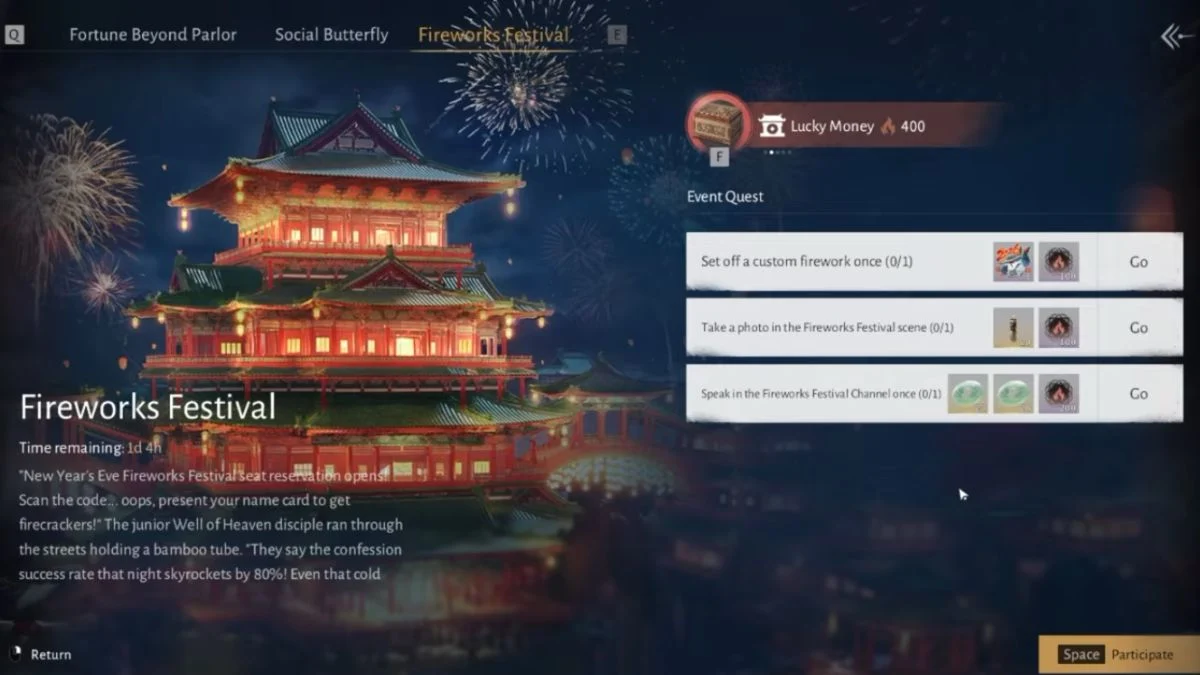
The Fireworks Festival in Where Winds Meet arrives with bright skies and a few surprising quest requirements. The objective that asks you to take a photo in the fireworks festival scene looks simple, yet it confuses almost everyone who tries it. You may stand in the event area, lift your camera, capture a perfect moment, and still watch the quest tracker sit untouched.
This happens because the task works differently from the usual photo activities in the game. Once you understand the logic behind it, you can complete the objective with confidence and move on with the event rewards.

What the Fireworks Festival photo task really asks for
The game ties this objective to a specific in-game flow rather than a normal screenshot. The system checks how you enter photo mode, what type of photo you take, and whether you share it. If any step falls out of this sequence, the quest does not update.

Players reported that the task often fails in online mode, lags behind, or completes much later. Recent patches improved the reliability of the event, but the quest still follows the same structure.


The correct way to trigger the event photo
Use the steps below once you enter the fireworks festival area.
1. Open the objective from your event list
Start by clicking the objective itself. The quest uses the objective banner as the trigger that places you inside the correct version of photo mode. If you enter photo mode in any other way, the game does not count the result.
2. Adjust your camera inside the official event photo mode
Frame the fireworks scene so that the festival backdrop stays visible behind you. You do not need a perfect angle, but include the event environment. Some players position themselves near the Flower Messenger NPC Liu Rui or the Wandering Seal near the Velvet Shade boundary stone for extra reliability. Both locations sit inside the event’s tracked zone.
3. Capture your photo and upload it to the Gallery
After you take your shot, upload it through the built in Gallery option. Write a short caption and publish it for all players. The game checks for the upload, not only the saved image, so this final step matters.
Once the upload succeeds, you usually see the objective complete right away. If the server runs slowly, you may receive the reward a short time later. You do not need to remain in the event area for it to register after the upload.
Things that often cause the quest to fail
Many players stumble over the same issues. You can avoid them with a few simple checks.
• Entering photo mode without using the quest banner
Opening photo mode directly from the menu breaks the sequence.
• Skipping the Gallery upload
Saving a local picture never counts. The quest listens only for a published Gallery post.
• Staying in online mode during server hiccups
Some players report smoother completion in solo mode, especially when the event suffers delays.
• Leaving the area before the upload completes
Give the system a short moment to record your submission.
A note on current reliability
Players across different servers confirm that the quest behaves more consistently after recent fixes. Some still see delayed rewards, but almost everyone who follows the correct sequence completes the objective without extra steps.
If the task refuses to update after you upload your photo, switch to solo mode or change zones. Many players see the completion message shortly afterward.
More Trending Guides:


Leave a Reply