

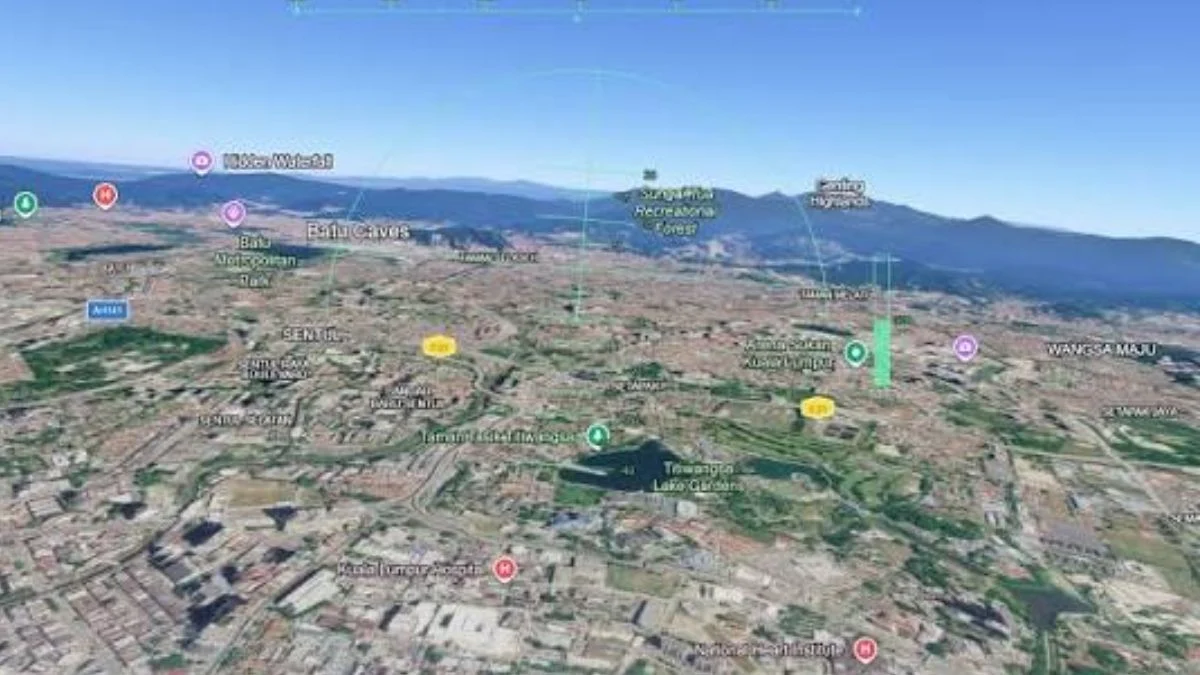

Google Earth has had a hidden flight simulator tucked inside its desktop app since 2007, but most people never knew it existed. That changes now. Google has officially rolled out the Flight Simulator feature to its web version, meaning anyone with a browser and a keyboard can take to the virtual skies completely free, no download required. Here is everything you need to know about how to access it, how to control your plane, and what to expect when you start flying.
What Is the Google Earth Flight Simulator?
The Google Earth Flight Simulator is a free, browser-based flying experience that lets you pilot an aircraft over Google Earth’s real-world satellite and 3D imagery. It has existed as a hidden feature in the Google Earth desktop app since 2007, but this June marks its first official appearance on the web version, accessible globally to all users.
Google confirms this is an experimental feature and describes it as designed for casual exploration rather than high-fidelity aerodynamic training. So while it will not replace Microsoft Flight Simulator any time soon, it offers something no other flight sim can: access to the entire Google Earth database, meaning you can fly over virtually any location on the planet.

Google Earth Flight Simulator Platform and Price
| Detail | Info |
| Platform | Web browser (desktop only) |
| Price | Free |
| App download required | No |
| Availability | Global, all users |
| Status | Experimental (pre-GA) |
How to Access the Google Earth Flight Simulator
You can launch the Flight Simulator directly through the Google Earth website by following these steps:
- Open Google Earth on your computer using a modern web browser.
- Click the Explore Earth button at the top right of the home screen.
- Open the Tools menu in the top menu bar.
- Select Flight Simulator from the drop-down list.

One important tip from Google: by default, the simulator loads with an abstract basemap that shows no terrain. To get the full experience with realistic buildings and landscapes, switch the basemap setting from Map to Satellite after launching.
Flight Controls
The controls are not shown in the simulator itself, so here is the full breakdown of keyboard shortcuts you need:
| Action | Keyboard Control |
| Increase thrust | Page Up (or click on-screen indicator) |
| Decrease thrust | Page Down (or click on-screen indicator) |
| Pitch up (climb) | Up arrow |
| Pitch down (dive) | Down arrow |
| Roll left (bank) | Left arrow |
| Roll right (bank) | Right arrow |
| Toggle mouse controls | Click inside the simulation |
You can switch between mouse and keyboard controls at any point by clicking inside the simulation screen. However, most users find keyboard controls easier to handle, particularly for beginners. Fair warning: the controls take some getting used to, and a permanent barrel roll is a very real possibility on your first attempt.

What Happens If You Crash?
The simulator includes collision detection. If your aircraft makes direct contact with the ground, a building, or any terrain, the simulation pauses immediately. A “You crashed! Restart” notification appears on screen, and clicking it resets your aircraft to a safe altitude so you can try again. There is no penalty and no limit on how many times you can restart, which makes experimenting with tricky manoeuvres like threading under a bridge genuinely fun.
Known Limitations
Google is clear that this is an experimental feature, and a few limitations come with it:
- Web only: The browser version of the Flight Simulator is not available on the Google Earth mobile app.
- Simplified physics: The simulator uses casual flight physics rather than realistic aerodynamic modelling.
- Dynamic loading: As you fly, 3D buildings and satellite imagery stream in real time. Flying at high speeds or on a slower internet connection may cause temporary texture delays or blurry loading.
- Terrain anomalies: Flying near ground level in regions below sea level, such as Badwater Basin in California, may cause occasional visual glitches.

Why Is This a Big Deal for Gamers?
Google has been pushing a broader update to bring professional desktop features into the web version of Google Earth, including elevation profiles and new import types. However, the Flight Simulator is the standout addition for anyone who just wants to have fun with it. The appeal here is simple: you can fly over your hometown, attempt to thread an aircraft under the Golden Gate Bridge, or explore any landmark on the planet from the air, all for free and without touching an install file. For casual players curious about flight sims but not ready to commit to something like Microsoft Flight Simulator, this is a genuinely enjoyable place to start.


Leave a Reply