

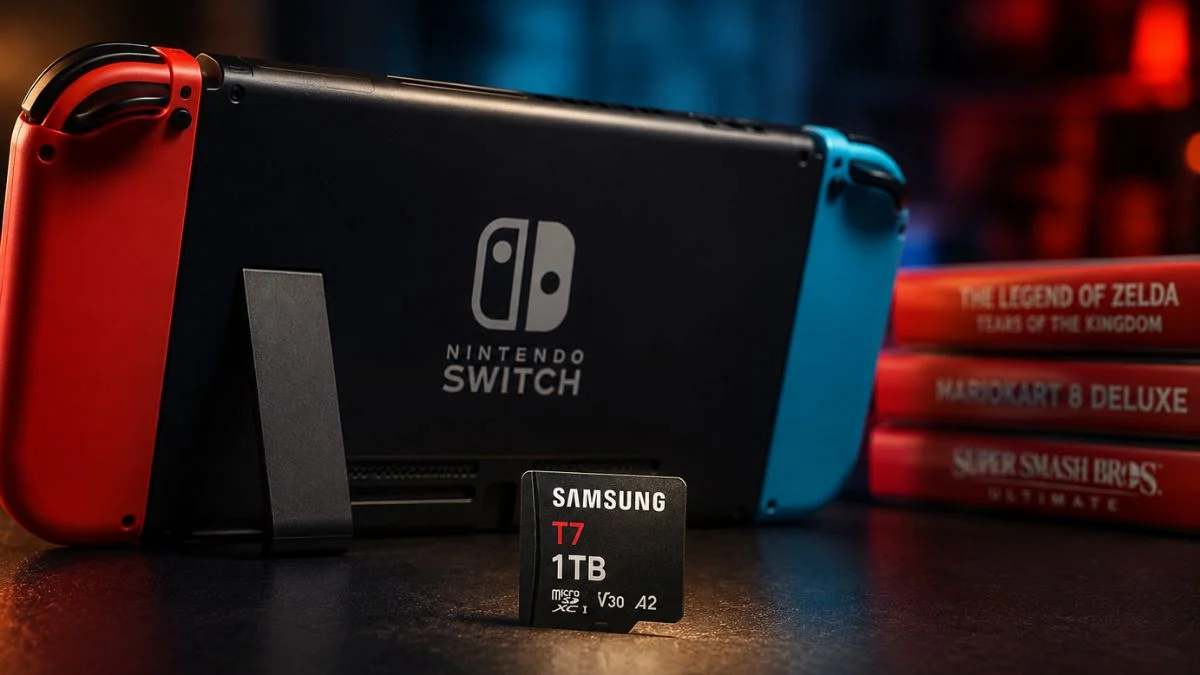
If you own a Nintendo Switch, you have almost certainly run into the storage wall at some point. The original console launched with just 32GB of internal storage, which fills up embarrassingly fast in 2026. The good news is that dropping in a 1TB microSD card bumps your available game storage up by a massive 3,000%, and right now you can do it for as little as $0.27 per GB with the Samsung microSDXC T7 1TB.
Why Nintendo Switch Owners Need Extra Storage
The original Nintendo Switch and the Nintendo Switch Lite both ship with 32GB of internal eMMC storage, while the Nintendo Switch OLED steps up slightly to 64GB. However, even 64GB fills up fast in 2026. To put that in perspective, here are some real-world file sizes:
| Game | File Size |
| The Legend of Zelda: Tears of the Kingdom | ~16 to 19GB (varies by version) |
| The Witcher 3: Wild Hunt Complete Edition | ~28 to 32GB |
The Zelda title alone can consume more than half the base console’s built-in storage, depending on your version. The Witcher 3 Complete Edition pushes well past the total internal capacity of the original Switch, meaning you cannot download it without additional storage. Meanwhile, Microsoft and Sony ship their flagship consoles with around 1TB of internal storage as standard, which makes the Switch’s base storage feel even more restrictive by comparison.
Adding a microSDXC card solves this problem directly and affordably.

The Samsung microSDXC T7 1TB
The Samsung microSDXC T7 1TB is currently one of the most practical storage upgrades for original Nintendo Switch owners. Here are the key specs and pricing details at a glance:
| Detail | Specification |
| Storage Capacity | 1TB (approximately 930 to 950GB usable after formatting) |
| Read Speed | Up to 170MB/s |
| Write Speed | Up to 30MB/s sustained (V30 rated) |
| Normal Price | $320 |
| Sale Price | $270 |
| Saving | $50 (16% off) |
| Price Per GB | $0.27 |
| Storage Increase | ~3,000% over base Switch storage |
You can purchase the Samsung microSDXC T7 1TB via Amazon at the discounted price. However, always buy from reputable retailers such as Amazon, Best Buy, or directly from Samsung to avoid counterfeit cards, which are unfortunately common with high-capacity microSD products. A fake card can corrupt your game data and waste your money entirely.
One important detail to note: the original Nintendo Switch’s hardware places a ceiling on how much of the T7’s read speed it can actually use. Any card rated U3 or V30 is more than sufficient for the console, so you will not lose anything by choosing the T7 over a faster and pricier alternative.
Which Nintendo Switch Models Support This Card?
This is where things get important, so pay close attention before buying. The Samsung T7 microSDXC is compatible with the following consoles:
- Nintendo Switch (original)
- Nintendo Switch Lite
- Nintendo Switch OLED
However, it is not compatible with the Nintendo Switch 2. The Nintendo Switch 2 ships with a far more generous 256GB of internal storage, which already reduces the urgency of a storage upgrade compared to the original console. Beyond that, when Switch 2 owners do need more space, the console requires a microSD Express rated card to meet its faster transfer speed requirements. Standard cards like the Samsung T7 will not work for game storage on Switch 2. Look for Express-rated options from brands such as Lexar, SanDisk, or PNY when buying for Switch 2.
Step-by-Step: How to Install a microSD Card on Nintendo Switch
Installing a microSD card on the Nintendo Switch takes under a minute. Here is exactly how to do it:
- Step 1: Power off your Nintendo Switch completely before inserting the card.
- Step 2: Locate the microSD card slot on the back of the console, beneath the kickstand.
- Step 3: Insert the Samsung T7 1TB card into the slot with the label facing away from the screen.
- Step 4: Power the console back on. The Switch will automatically detect and format the card for use.
- Step 5: Head to System Settings, then Data Management, to begin moving existing game data to the new card or set it as the default download location going forward.
A note on transfer times: Moving a large existing game library across to a new card can take a considerable amount of time depending on how much data you have. If you are transferring hundreds of gigabytes, set aside several hours and keep the console plugged in throughout the process.

Managing 1TB of Storage Smartly
Even with 1TB on board, smart storage management makes a real difference. Real Switch owners who have already filled significant portions of their 1TB cards offer some useful advice:
Key tips for managing your storage:
- Uninstall games you are not currently playing. Your save data stays intact separately, so you will not lose any progress when you reinstall later
- If you subscribe to Nintendo Switch Online, your save data syncs to the cloud automatically, giving you an extra layer of protection
- Keep in mind that screenshots and video clips also take up storage space on your card, so clear those out regularly if you capture a lot of gameplay
- Leave games you play regularly installed and archive titles you revisit occasionally
- Consider buying physical copies of larger games to keep your digital storage free for titles that do not have physical editions
One real-world example shared by Switch owners highlights just how fast storage fills: transferring an existing Switch 1 library across to a fresh 1TB card can consume over 670GB before you even download a single new title. Planning ahead matters.
Beyond Gaming: What Else the Samsung T7 1TB Can Do
The Samsung T7 is not purely a gaming accessory. As a microSDXC card, it works across a wide range of devices and use cases:
Other uses for the Samsung T7 1TB:
- Photography: Supports high-resolution photo capture
- Videography: Handles 4K video recording
- 4K recording capacity: Up to 47.1 hours of 4K footage
- FHD recording capacity: Up to 159.7 hours of Full HD video
- Durability: Resistant to water, extreme temperatures, X-rays, magnets, and drops
This makes it a genuinely versatile card whether you use it in your Switch, a camera, or a drone.
Best microSD Cards for Nintendo Switch in 2026
If the Samsung T7 is not the right fit for your needs, here are the other top-rated options available right now:
| Card | Best For | Read Speed | Capacity Range |
| SanDisk Extreme microSDXC UHS-I | Overall best pick | Up to 240MB/s | 256GB to 2TB |
| SanDisk High Endurance Video microSDXC | Nintendo Switch (original) owners | Up to 100MB/s | 256GB to 512GB |
| Lexar Professional Silver Plus microSDXC | High performance on a budget | Up to 205MB/s | 128GB to 1TB |
| Amazon Basics Micro SDXC | Budget buyers | Up to 100MB/s | 64GB to 1TB |
| Samsung Pro Endurance MicroSDXC | Dashcams and continuous recording | Up to 100MB/s | 128GB to 256GB |
For Nintendo Switch 2 owners specifically, you need a microSD Express card. Brands currently offering Express-rated options include Lexar Play Pro, SanDisk, and PNY. Standard UHS-I cards like those listed above will not work for Switch 2 game storage, so double-check the label before purchasing.
Note that the SanDisk High Endurance Video microSDXC is also not compatible with the Nintendo Switch 2, so the same warning applies there.

Final Thoughts
Running out of Nintendo Switch storage is a frustration that has a straightforward fix. The Samsung microSDXC T7 1TB at $270 represents strong value right now, particularly at $0.27 per GB, and the roughly 3,000% capacity increase over the base console storage is genuinely transformative for anyone sitting on a growing digital library. However, do double-check your console model before purchasing. Switch 2 owners benefit from 256GB of built-in storage already and will need a microSD Express card when the time comes for an upgrade. You can grab the Samsung T7 1TB via Amazon or Best Buy while the current discount is still live, and always buy from a trusted retailer to make sure you get the real thing.


Leave a Reply