

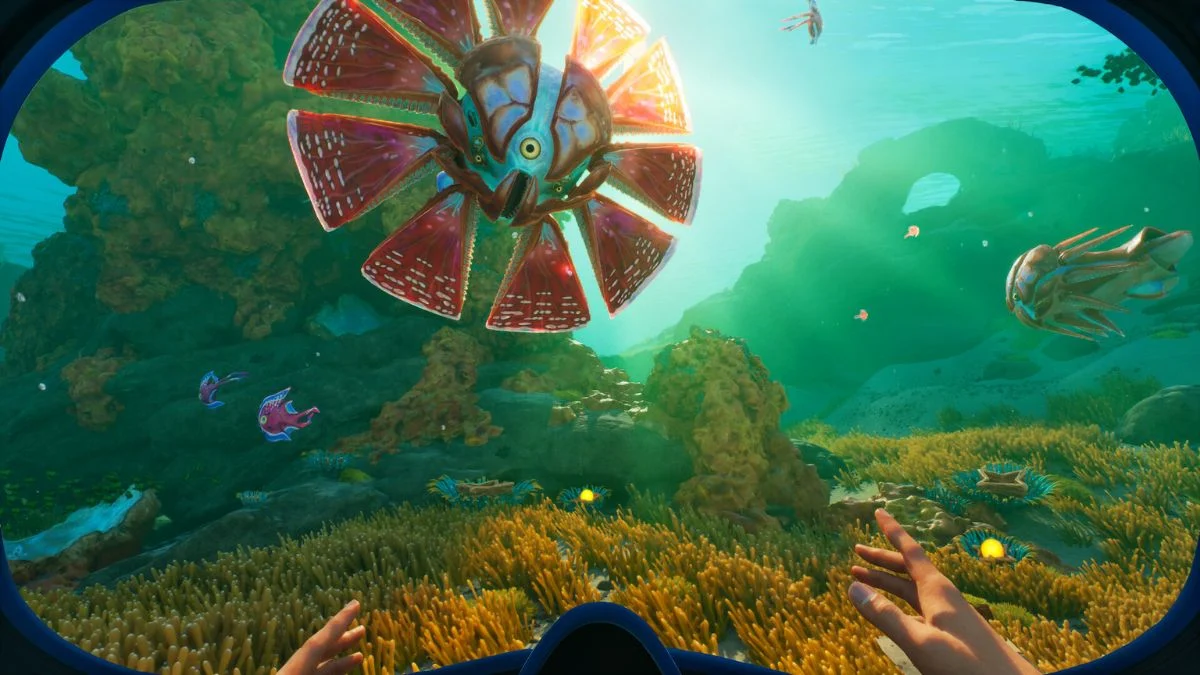
Subnautica 2 launched into Early Access on May 14, 2026, and one of the biggest questions players have had since day one is whether the game supports crossplay. The good news is that it does, and the setup is simpler than you might expect. Here is everything you need to know about Subnautica 2 cross-platform support, multiplayer, and how to get your friends into the water with you.
Subnautica 2 Multiplayer Overview
| Detail | Info |
| Release Date (Early Access) | May 14, 2026 |
| Full Release (Estimated) | 2028 or later |
| Developer | Unknown Worlds Entertainment |
| Publisher | Krafton |
| Platforms | Xbox Series X/S, PC (Steam, Epic Games, Windows Store) |
| Game Pass | Available on Xbox Game Pass Ultimate and PC Game Pass |
| Max Players | 4 |
| Crossplay | Yes, PC and Xbox Series X/S |
| Split-Screen | No |

Is Subnautica 2 Cross Platform?
Yes, Subnautica 2 has full crossplay support across PC and Xbox Series X/S consoles. That means you can play with your Xbox console friend while playing the game on your PC. However, crossplay does not work through a standard platform friend invite alone. If you are playing on different platforms, you need to use the Friend Code system to connect with one another.
What Platforms Is Subnautica 2 On?
Subnautica 2 Early Access is available on Xbox Series X/S and PC. These are the only two platforms currently in the plans for Unknown Worlds Entertainment. On PC, the game is available across Steam, Epic Games, and the Windows Store. It is also available day one as part of Xbox Game Pass Ultimate and PC Game Pass.
There is a possibility that the game may release on other platforms, like PlayStation 5 and Nintendo Switch 2, at the official release of the game. However, Unknown Worlds has not confirmed any details on this yet.
Does Subnautica 2 Have Multiplayer?
Yes, Subnautica 2 supports four-player co-op and can be played from start to finish with friends. However, the entire game is also fully playable solo, and there are no multiplayer-exclusive mechanics, areas, or progression systems.
Subnautica 2 was built from the ground up with multiplayer in mind, according to Jon Bjarnason, lead engineer at Unknown Worlds. Everything that can be done in single-player can be accomplished in multiplayer, and there are no multiplayer-exclusive features.
Multiplayer Feature Summary
| Feature | Status |
| Online Co-Op | Yes, up to 4 players |
| Solo Play | Yes, fully supported |
| Split-Screen | No |
| Cross-Platform Play | Yes, PC and Xbox Series X/S |
| Shared Progression | Yes |
| Drop-In/Drop-Out | Yes |
| Available in Early Access | Yes |
| Offline Solo Play | Yes |
How to Play Subnautica 2 Multiplayer
Here is how you can host friends in Subnautica 2 multiplayer:
- From the main menu, click Host Multiplayer, then Host New Multiplayer Game.
- Pick a game mode, then select Host Game.
- When you are in the game, press Escape or Start and go to Friends List.
- Select the friend you want to play with by hovering over their name, then press the Invite button.
If you have already started a single-player world that you want to play with friends, simply select Play Single Player on the main menu, select the save file, and click Convert to Multiplayer. You can then convert the save back to a single-player file by clicking on Host Multiplayer, selecting the save, and choosing Convert to Single Player.

How to Add Friends Across Platforms
Since Subnautica 2 crossplay requires the in-game Friend Code system rather than a standard platform invite, here is how to get it done.
- When you are in the game, press Escape or Start and go to Friends List.
- Press the Generate Code button if this is your first time using this system to see your Friend Code.
- Once the code has been generated, press Copy Code and send it to your friends.
- Alternatively, ask your friend to send you their code, then copy it into the Friend Code box and press Add Friend.
Once you are in the game, you can scroll down your friends list until you see who you want to invite. The icon on the left will indicate whether they are playing on Xbox or Steam. Hover over their name and select Invite to send the invite, and they simply need to accept it to join.
Is Progress Shared in Subnautica 2 Multiplayer?
A lot of the progression in Subnautica 2 carries across sessions, which makes co-op genuinely useful rather than just cosmetic. Here is a breakdown of what is and is not shared.
| Progress Type | Shared? |
| Blueprint Progress | Yes |
| Databank Entries | Yes |
| Mission & Waypoint Progress | Yes |
| Base Building | Yes, fully collaborative |
| Inventory | Per player, persistent across sessions |
| Character Adaptations | Not inherited by new players joining |
| Personal Upgrades | Not inherited by new players joining |
Players joining an existing multiplayer world for the first time do not automatically inherit the host’s inventory, Adaptations, or personal upgrades. Instead, they start with a fresh character and will need to unlock their own Adaptations and secure their own tools. However, shared blueprints, facilities, and world progression make it easier to get going, and players can give items to one another to get established quickly.
What Happens When You Die in Multiplayer?
Death in multiplayer is identical to death in single-player: you will drop some of the items you are holding. Other players will be able to collect the items you drop, though, reducing the need to recover your body. Notably, players cannot revive one another.
Cloud Saves and Cross-Platform Progress
You can upload your save to the cloud, which gives you access to a code that can be shared with friends, allowing them to continue playing your save. To do this, select your save from the main menu and click Upload to Cloud, then click Upload and wait for the process to finish. When complete, you will receive a code you can copy and share.
To use a cloud save code, restart the game, click Import Save at the bottom of the screen, paste the code into the box, and the save will appear in your game.
It is worth noting that the code generated when you create a cloud save only works once. If you are playing with multiple people who each want a copy of the save, you will need to hand out individual codes.

Will Subnautica 2 Support More Platforms in the Future?
If the game launches on other platforms like PlayStation 5 and Nintendo Switch 2, you will likely have to use the Friend Code system to play with friends on those consoles as well. Unknown Worlds has confirmed the Friend Code system will carry forward to any future platform releases, but no additional platform announcements have been made at this time.


Leave a Reply