

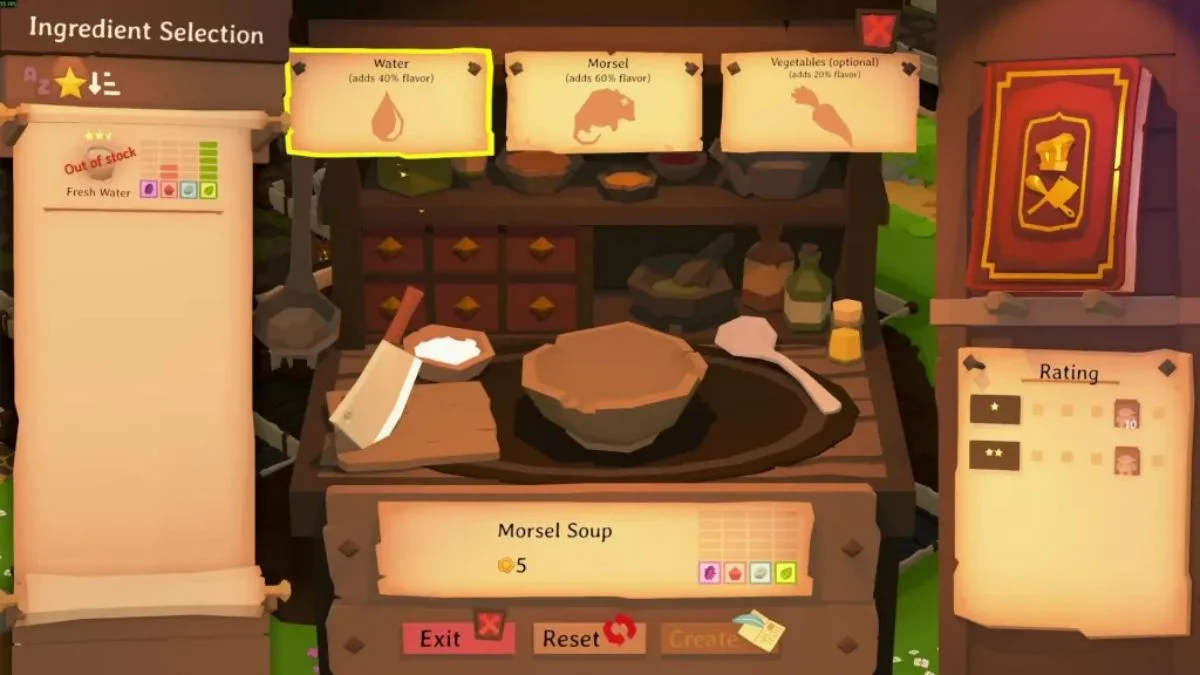
There’s something quietly satisfying about running a tavern that hums with life in Tavern Keeper. The clinking of mugs, the bubbling of stews, and the laughter of guests all hinge on one humble but vital resource, water. If you’ve built your soup station only to find your chefs standing idle and your well seemingly useless, you’re not alone. Many innkeepers have stumbled upon this very puzzle.
This guide will walk you through, step-by-step, how to get water from the well in Tavern Keeper, while sharing some useful insights on how the game’s resource and job systems intertwine.
What does the Well do?
The well in Tavern Keeper is the primary source of fresh water, a vital ingredient for cooking and cleaning. However, the game doesn’t automatically assign workers to fetch water. You need to tell your staff exactly what to collect and how much to store.
Water is treated like any other supply—it needs to be requested through your storage management menu before your staff begins to gather it.
Open the Storage Overview
To start collecting water:
- Go to your Storage Overview – This can be found in the top-right or top-left corner of your screen (depending on your version or layout settings).
- Locate “Fresh Water” in the list of items.
- Click to add it to your requested list or set a desired quantity to keep in storage.
This tells your staff that water should be part of the tavern’s daily resource cycle, just like food ingredients or ale.
Tip: If you don’t request water, your workers will never fetch it—no matter how many wells you build.
Assign the Right Worker Roles
Not every worker is suitable for fetching water. Tasks like gathering, hauling, and cleaning are usually handled by Dogsbodies (general laborers). If you notice your chefs ignoring the well, it’s likely because they’re not assigned to perform general tasks.
Check your staff menu and ensure that:
- You have at least one Dogsbody or general worker assigned.
- Their task list includes fetching or hauling resources.
Pro Insight: It’s wise to have a dedicated worker managing general resources, especially as your tavern expands. This prevents cooking and cleaning from grinding to a halt.
Use Existing or Build New Wells
Many taverns like the starter one in Halflington already include a well. You can use that prebuilt well without needing to construct another.
However, if your layout is large or your workers have to walk too far, consider building an additional well closer to your kitchen or main storage area. Proximity reduces idle time and keeps the workflow smooth.
Monitor Your Water Supply
Once your request is active and workers are assigned, you should start seeing fresh water appearing in your storage overview. Watch the quantity and adjust the request based on your tavern’s needs.
If your chefs still can’t access water:
- Double-check that the storage area is linked to your kitchen.
- Make sure the well isn’t blocked by obstacles or walls.
- Verify that the worker pathfinding is clear.
More Trending Guides:


Leave a Reply