

Hytale Update 2 marks a broad step forward for the game, touching nearly every system you interact with. From how your character looks to how the world generates beneath your feet, this update focuses on refinement, balance, and long-term stability. If you want to understand what truly changed and how it affects your play experience, this guide breaks down the patch notes with clarity and purpose, without drifting from the facts.
In This Post:

Changes made to Cosmetic and Character Customization
New Avatar Options
Update 2 expands avatar variety with several new cosmetic choices available to all players:
- Bandit Mask with Side Knot variant
- Blindfold and Thick Blindfold variants
- Bandage Blindfold options for left eye, right eye, and both
- Vampire Mouth
- Cute Mouth
- Orc Mouth
Fantasy cotton cosmetics now include white as an available color option, allowing cleaner and brighter visual combinations.
Hairstyle Visual Improvements
Several hairstyles received updated visuals to improve consistency and polish:
- Single Side Pigtail
- Hair Stick Bun
- Simple Bobcut
- Fighter Buns
- Smart Elven
- Windswept
Armor Visibility Controls
You can now toggle armor visibility directly from the character panel. Server hosts retain the option to enable or disable this feature to support PvP rules or immersion focused servers.
Cape animations now respond more naturally while running, adding fluid motion during movement.
Gameplay and Balance Adjustments
New Combat Item
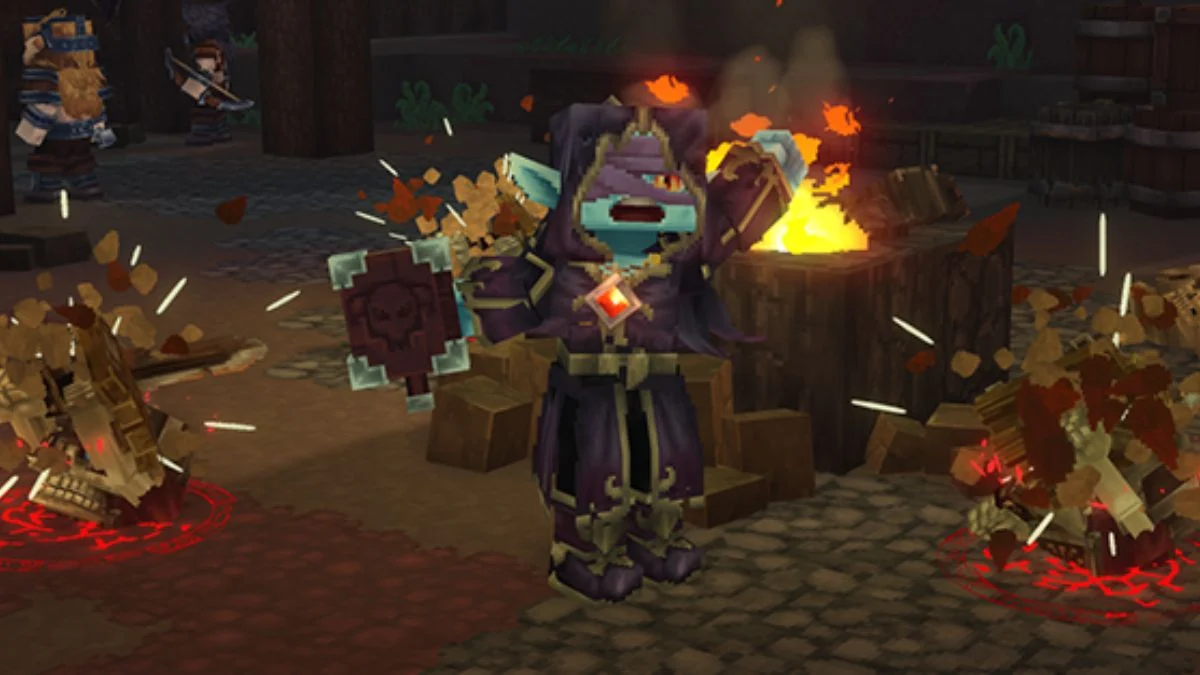
A new item allows you to raise skeletal minions from nearby bone piles. This item has a chance to drop from the large Praetorian Skeleton, introducing a new tactical layer without altering existing combat foundations.
Mining Progression Changes
Mining now follows clearer tier progression:
- Adamantite requires a Thorium or Cobalt pickaxe
- Lower tier pickaxes deal significantly less damage to higher tier ore blocks
- Higher quality pickaxes reduce the number of hits needed to mine ores
These changes reinforce meaningful equipment upgrades.

Enemy and Creature Balance
- Polar Bears received buffs
- Magma Toad behavior now alternates between a reduced damage Tongue attack and a new Headbutt ability
Resource and Crafting Updates
The following NPCs now drop Medium Hide instead of Light Hide:
- Bison
- Boar
- Cow
- Horse
- Warthog
Additional decorative lighting recipes appear in the furniture bench.
Petals now fall under the furniture bench textiles category and rely entirely on renewable resources. Yellow Petals come from Sunflower Seeds, and lighter Cloth Block variants can be crafted using petals.

World Generation Improvements
WorldGen V2 Expansion
World Generation Version 2 now supports public documentation for modders. Two new templates use this system:
- Default_Flat
- Default_Void
The Creative Hub Portal now spawns with WorldGen V2 flat generation in newly created creative worlds. These worlds feature clear weather and limited fog.
Ore Placement Overhaul
Ore placement underwent a major refactor across all zones. You must explore new chunks in older worlds to see these changes. Underground areas, especially in the Devastated Lands, now contain more ore deposits.
Farming System Enhancements
Crop Protection and Soil Changes
- Eternal crops no longer break from accidental weapon damage
- Tilled soil lasts between 1.2 and 1.5 days
- Fully grown crops prevent soil decay underneath
Breaking fully grown Eternal crops now returns their seeds.
Farming Quality of Life
- You can hold torches in your offhand while using hoes or seeds
- You can place harvested crops on the ground while crouching
Tool Progression Adjustments
Hoes now unlock at different farming bench tiers:
- Copper moves to Tier 2
- Iron moves to Tier 4
- Thorium appears at Tier 6
Recipe costs now reflect these changes.
UI and User Experience Improvements
Interface Clarity
- Editor block tooltips now include clearer descriptions
- Avatar color options display their names on hover
- The active hotbar slot stands out with increased contrast and a diamond indicator
Inventory Interaction Updates
- Faster and more reliable double click handling
- Shift clicking armor equips it directly when the slot is empty
- QERT shortcuts support quick actions such as sorting and stacking
- Tooltips now display shortcut keys
Performance and Accessibility
- An optional FPS counter overlay appears under General UI settings
- Player markers now appear on the compass
- Player names always render on the map
- Height differences display through directional indicators
- Map and compass visibility toggles appear in the player list
A new Ophidiophobia accessibility mode replaces snake models with hatworms.
Audio, Visual, and Technical Stability
Audio and Visual Updates
- Added missing Rex sounds
- Updated inventory drag and drop sounds
- Fixed a Howling Sands cave track
- Updated food particle color tints
- Improved shadow rendering and weather transitions

Server and Stability Improvements
A new server auto update system now manages updates through configuration options and commands. Servers can check, download, notify players, and apply updates with staged restarts.
Additional fixes address:
- Teleport collision issues
- Rail cart placement and consumption
- Bed respawning in unloaded chunks
- Inventory preview sizing
- Map marker flickering and update errors
- Unauthorized map teleporting through new permissions
Read Official Patch Notes Here: Hytale Update 2
Final Overview
Hytale Update 2 strengthens the game’s foundation through thoughtful refinement. Customization feels broader, progression feels clearer, farming feels more forgiving, and servers operate with improved reliability. When viewed as a whole, this update prioritizes stability, clarity, and long term player experience over short term spectacle.
Understanding these changes helps you adapt quickly and appreciate the evolving structure of the world you play in.


Leave a Reply