

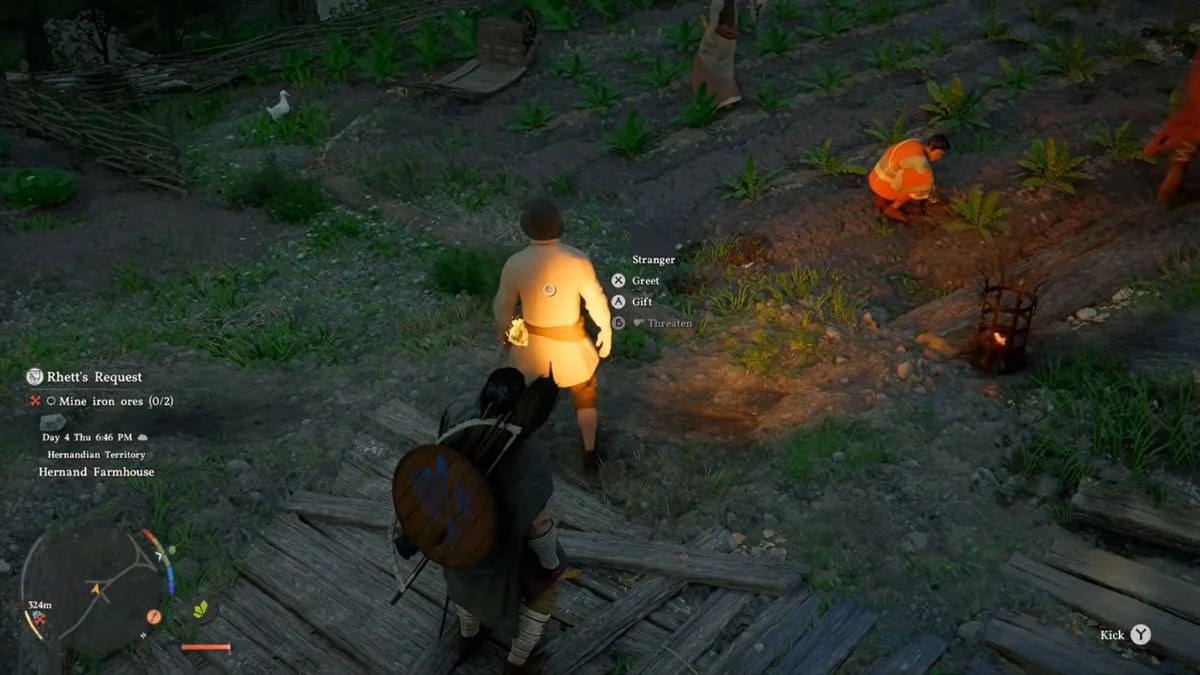
Surprisingly, stealing in Crimson Desert is one of the most useful skills you can pick up early in the game, and it is also one of the most misunderstood. The moment most players arrive in Hernand and spot items lying around, they try to grab them, only to find the Steal option completely greyed out with zero explanation. The good news is that unlocking stealing is simple, and once you know how the crime system works, you can loot freely while keeping your reputation intact.
What You Need to Steal in Crimson Desert
There is only one requirement before you can steal anything in Crimson Desert: you must wear a Mask.

Without a Mask equipped, the Steal prompt will always appear greyed out, regardless of what you are trying to take or where you are standing. Equipping the Mask unlocks the ability to steal items, pickpocket NPCs, and commit other criminal acts across the world of Pywel.


How to Get a Mask in Crimson Desert
There are three confirmed ways to obtain a Mask:
Option 1: Buy One from the Back Alley Shop (Easiest and Earliest)
The fastest way to get a Mask is to purchase one from the Back Alley Shop in Hernand for just 10 copper coins. You can do this as early as Chapter 1, making it the most accessible option for new players.

To find the Back Alley Shop, head east out of Hernand, past the large model castle on the left, then turn left down the road and follow the track to the vendor. The shop sits on the eastern road next to Hernand, on the west side of the river, right next to the Livestock Black Market. The vendor there is named Grimrak. You can also sell stolen livestock and goods at this location.
Option 2: Complete Jeffrey’s Bounty Quest (Chapter 2)
In Chapter 2, the Hernand Guard Captain gives you a short side quest to track down an outlaw named Jeffrey the Pickpocket. Here is how to complete it:
- Speak with the Hernand Guard Captain near the Guard Station and jail in Hernand, which is marked on your map.
- Inspect the Bounty Notice the Captain provides.
- Find Jeffrey the Pickpocket in east Hernand.
- Sprint into him to tackle him, tie him up, and carry him back to the Guard Station.
Completing this quest rewards you with your own Mask to keep permanently. This quest also functions as a tutorial for how the Bounty system works, so it is worth completing regardless of whether you have already bought a Mask.
Option 3: Loot One from Bandits
Masks drop randomly from Bleed Bandits and other bandit enemies found throughout the Hernandian Territory, particularly along the outskirts of Hernand Town. However, this method is unreliable until Chapter 2, when bandit encounters become more frequent. If you need a Mask immediately, the Back Alley Shop remains the most dependable early option.

How to Equip the Mask
Once you have a Mask, equip it using the Equipment Quick Slot radial menu:
- Controller: Hold Left on the D-Pad to open the Equipment Wheel. Hover over the Mask slot, which sits on the left side of the wheel just below the tools slot. Use LT/RT to toggle to the Mask, then release to equip it.
- PC/Keyboard: Hold F2 to open the Equipment Wheel. Hover over the Mask slot and use the Mouse Scroll Wheel to cycle to it, then release to equip.
With the Mask equipped, the Steal prompt activates on all eligible items. To avoid accidentally picking up items that do not belong to you, unequip the Mask using the same method whenever you are casually exploring a city or interacting with NPCs. This is important because wearing a Mask also enables you to attack NPCs, which can cause unintended trouble.
Note that Masks equip in a separate slot and some helmets include raise or lower face mask options. However, a full Bandit-style Mask is specifically required to enable criminal behaviour. Wearing one in towns may also cause some NPCs to act suspiciously toward you, so unequip it when you are not actively stealing.
How to Steal Items in Crimson Desert
With the Mask equipped, here is how to steal items reliably:
- Approach any cabinet, shelf, drawer, chest, or item in the open world.
- Hold your lantern button (L1 on controller / CTRL on PC) to inspect and highlight the item. This lantern inspection is what brings up the Steal prompt consistently on containers and shelves. Simply walking up to items without inspecting them first can cause the prompt not to appear.
- When the Steal prompt appears, press the corresponding button to take the item.
- On controller: press X/A/R when prompted after inspecting.
- On PC: select Steal from the interaction menu after inspecting.
You can steal from cabinets, drawers, shelves, items placed in the open, and livestock. Items inside private buildings with no witnesses present are generally the safest to take. Everything from jewellery boxes to paintings can be stolen and sold, making theft particularly valuable in the early game when copper is scarce.
Note that stealing always triggers a crime response, even if absolutely no one is around to see it. The moment you steal, a crime notification appears, and a red zone activates around you, regardless of witnesses.
How to Pickpocket NPCs in Crimson Desert
Pickpocketing works differently from standard item stealing. Here is the full process:
- Equip your Mask.
- Before bumping into your target, hold L1/CTRL over them to preview what items they are carrying. This lets you identify high-value targets, such as those holding Coin Pouches or Keys, before committing to the pickpocket.
- Sprint and collide directly with the NPC to make them stumble. Simply walking up to them will not work, as that only brings up the standard Greet and Gift options.
- As they stumble, the Pickpocket prompt appears briefly on screen.
- Press the prompted button quickly before the window closes.
Pickpocketing rewards vary, but most commonly yield Coin Pouches and occasionally Keys. A short timer appears on the right side of the screen after committing the act. If you are not spotted before it runs out, you escape without additional penalties beyond the baseline Contribution loss.
A few important limitations:
- You cannot pickpocket guards, only regular NPCs.
- Once a threat alert is active in the area, you cannot pickpocket again until it clears, as all nearby NPCs become aware that criminal activity is taking place.

How the Crime System Works
Understanding the crime system is the key to stealing without suffering serious consequences. Here is a full breakdown:
The Crime Zone
Every time you steal or pickpocket, a red ring appears around you on the minimap and visibly in the world itself. This ring represents the active search area. As long as you exit this red zone before the crime meter depletes, you avoid any consequences beyond the base Contribution loss.
If you steal in a private location with no witnesses, no guard response triggers and you simply lose a small amount of Faction Contribution. If you steal in public view, nearby civilians may spot you and run to alert guards. In that case, you need to exit the red zone before they reach a guard and report you.
Additionally, returning to the scene of a crime too soon, even after the on-screen Bounty Poster has burned away, can cause citizens to report you again and trigger a fresh guard response.
If You Are Caught
If guards catch you before you exit the crime zone, here is what can happen:
- Accept the fine: Pay up immediately and walk away with a small reputation hit.
- Attempt to flee: Running escalates your Bounty and sends more guards after you.
- Fight back: Guards call for backup. Once your health drops low enough, you will be arrested regardless.
If a guard attempts to tackle you, a quick-time event triggers. Press the prompted button in time to push them off. Failing the quick-time event results in immediate arrest and transport to the nearest Guard Station.
After Arrest
Being sent to jail clears your active crimes after a brief cutscene, but you will lose a portion of your copper as a fine. If your Bounty exceeds your available funds, your money counter turns red and the game automatically deducts all future earnings toward your debt until it is fully paid off. Withdrawing funds from bank investments while in debt also increases what you owe.
Fines vs Bounties: What Is the Difference?
| Crime Type | Consequence | Severity |
| Stealing, pickpocketing, vandalism | Fine and Contribution loss | Low |
| Threatening, assaulting, or murdering NPCs | Bounty placed on your head | Medium to High |
| Sustained serious criminal activity | Bounty Level rises up to Level 5 | Severe |
Fines cover low-level crimes and will not send you to jail unless you actively resist. Bounties escalate based on the seriousness of your actions and build through Bounty Levels. At Bounty Level 5, most vendors refuse to serve you and Bounty Hunters begin actively tracking you down outside of towns, setting up barricades on roads and passages.
Back Alley Merchants remain accessible at Level 5, though at inflated prices. The positive news is that Bounties are capped at Level 5 and the maximum Bounty Fee never exceeds 100 Silver, so no crime spree will ever leave you with unmanageable debt. Bounties are also regional, meaning a high Bounty in Hernand does not automatically affect your standing elsewhere. You can check affected areas via red icons on the world map.
How to Pay Off Fines and Bounties
To clear your name, visit a Church Confessional in any town across Pywel. Inside each Church, the Confessional vendor offers the option to “Buy Writ of Absolution.” Selecting this displays all active fines and Bounties across different regions. Pay off your debts and your record clears immediately. Confessionals work across regions, so you do not need to travel back to the specific area where you committed the crime.
Alternatively, you can simply let the guards arrest you. This clears your active crimes after the jail cutscene, though it costs more than paying at the Confessional upfront.
How to Recover Your Reputation
Every crime causes a loss of Faction Contribution for the region where it took place. For example, pickpocketing in Hernand results in a minus 5 hit to your Hernandian Contribution.
However, the reputation loss per crime is small and very manageable. Completing one or two Side Quests in the region or making a few donations to beggars is usually enough to restore what you lost, even after multiple thefts. The crime system in Crimson Desert is designed to discourage careless stealing rather than permanently penalise it.

Stealing Tips to Stay Safe
- Steal in isolated spots. Empty rooms, farms at night, and areas with no NPCs in sight minimise witness risk and prevent the red zone from escalating into a full guard response.
- Space out your thefts from the same vendor or shop. Over-stealing from a single location can eventually bankrupt that vendor and cause their shop to close permanently, which has been reported in early playthroughs.
- There is no permanent punishment. The system resets after arrest or absolution. Pay your debts quickly to avoid Bounty Hunter chases at higher levels, but do not stress about individual thefts.
- Sell stolen goods at the Back Alley Shop or Livestock Black Market. These vendors buy stolen items without question and sometimes offer better rates than standard shops.
- Unequip your Mask immediately after stealing. This prevents accidental crimes and stops NPCs from reacting suspiciously to you during normal exploration.
Additional Illegal Activities in Crimson Desert
Beyond standard stealing and pickpocketing, Crimson Desert also supports several other criminal side activities:
- Livestock theft: Pick up and carry animals, then sell them at the Livestock Black Market near the Back Alley Shop east of Hernand.
- Wagon theft: Steal any wagon and drive it to a wagon fence to sell. A wagon fence sits east of Hernand on the road leading south of Halssius Apothecary.
- Vandalism: Riding through fences or smashing objects in view of NPCs counts as a crime and triggers the standard crime zone response.


Leave a Reply