

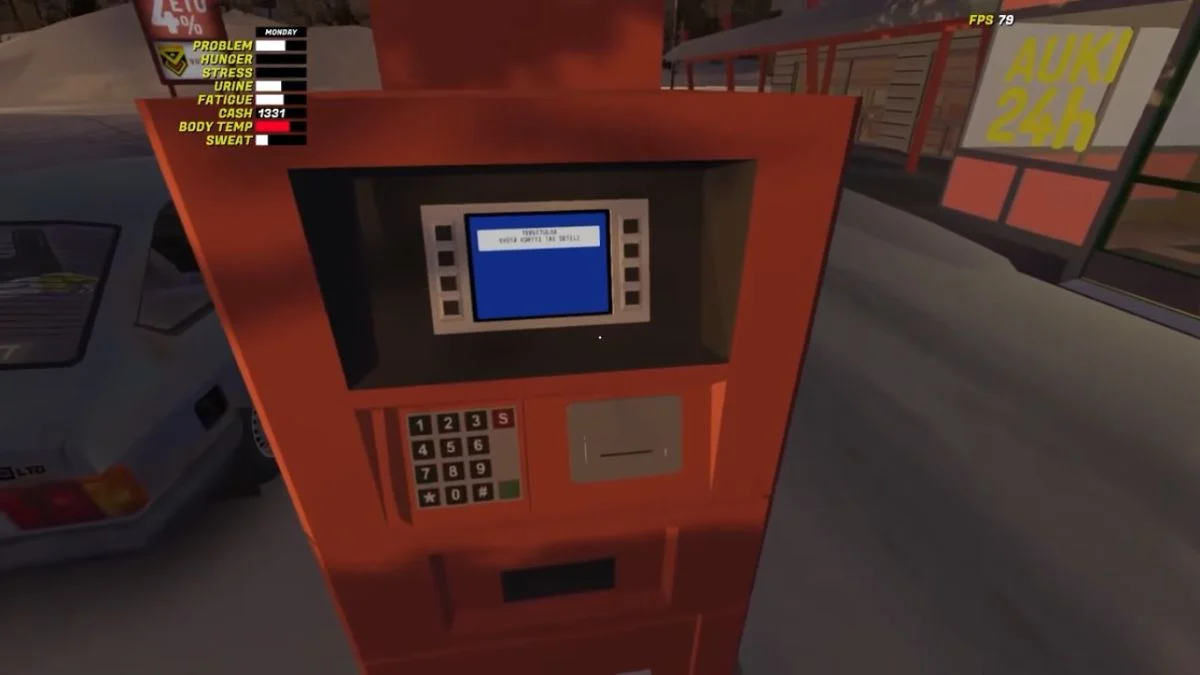
Managing money in My Winter Car becomes much easier once you understand how the credit card works. The game gives you the card early on, yet it never explains how the PIN system functions or why your first input matters so much. Many players reach the ATM, try a random number, and lock themselves out without realizing what happened.
This guide walks you through how the PIN system works, how to change it if needed, and how to use ATMs correctly so you can avoid the usual confusion and keep your playthrough moving smoothly.
How Your Credit Card PIN Works
Your credit card starts with no PIN. The first time you enter a four-digit code at an ATM, the game saves that number as your permanent PIN for the entire save. There is no prompt, no warning, and no confirmation. The number you enter becomes your code instantly.
If you enter the wrong PIN during later transactions, the payment fails. If you forget your PIN completely, the game provides no recovery option.
This design means you should choose something simple and memorable when you create it.
How to Change or Check Your Credit Card PIN
You can’t reset your PIN inside the game, but you can edit it through your save file. This works whether you forgot your code or just want a new one.

Follow these steps:
- Open your AppData folder and go to LocalLow.
- Enter the Amistech folder, then open My Winter Car.
- Find SaveFile.txt and load it into MSCEditor.
- Look for the entry creditcardpin.
- Change the number to a new four-digit PIN.
- Save your changes.
Once saved, the new PIN becomes active the next time you use your card.
How to Use ATMs in My Winter Car
ATMs handle cash withdrawals and transaction history. When you reach one, the process is straightforward:
- Insert your credit card.
- Enter your PIN. If you are doing this for the first time, the code you enter becomes your permanent PIN.
- Select Otto to withdraw money or Tapahtumat to view past transactions.
- Choose the amount you want.
- Pick Ei kiitos to skip the receipt or Näytölle to show it on-screen.
- Take your card and collect your cash.
Once you learn the menu options, you can withdraw money quickly whenever you need fuel, groceries, or supplies.
Keeping Your PIN Safe
Because the game locks your PIN permanently, it helps to choose something easy to remember. You can write it down or save it somewhere if needed. Forgetting the code forces you to edit your save file, so staying organized saves time.
With a clear PIN and a basic understanding of ATM functions, your spending and withdrawals in My Winter Car stay simple and predictable.
More Trending Game Guides:


Leave a Reply