

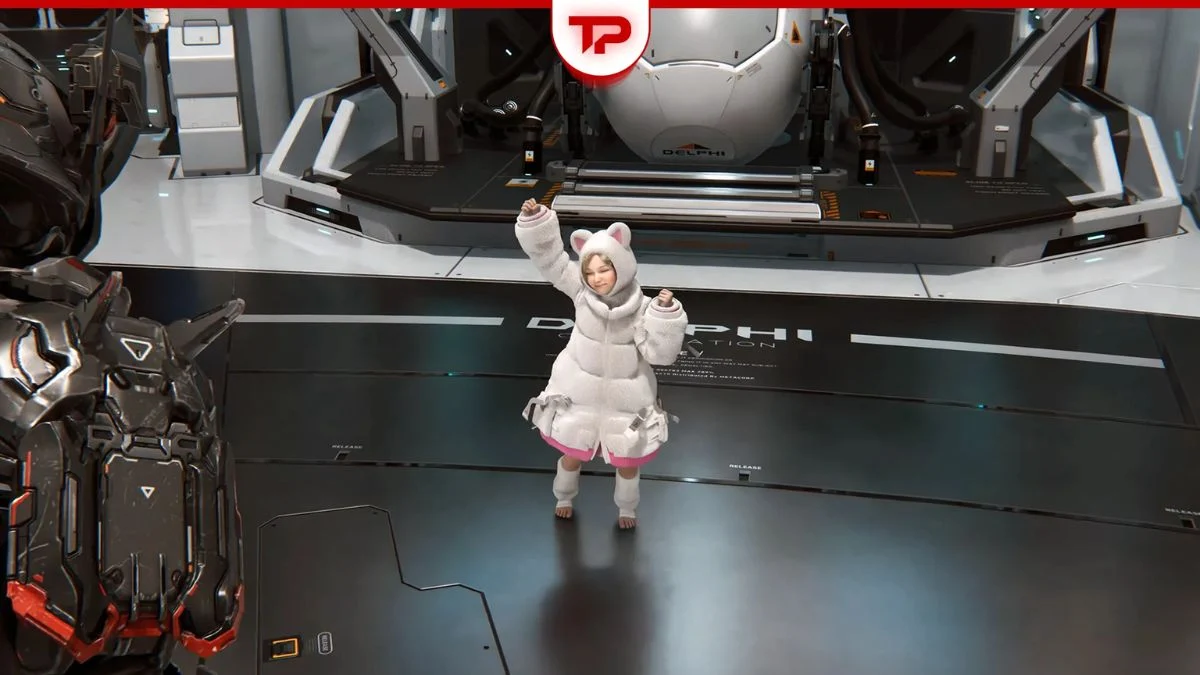
Pragmata is Capcom’s sci-fi action-adventure released on April 17, 2026, and Diana is far more than just your combat companion. Hidden away in the Shelter is a surprisingly charming feature that many players miss entirely: you can actually make Diana dance. Here is exactly how to unlock it and what each song triggers.
What You Need Before Diana Will Dance
This feature is not available in the base game. To make Diana dance in Pragmata, you need to meet two specific requirements:
| Requirement | Details |
| Edition | Deluxe Edition or the Shelter Variety Pack DLC purchased separately |
| Location | Inside the Shelter or Cabin area only |
| Activation | Via the Jukebox inside the Cabin — interact with the robot Cabin |
| Music Required | DLC-specific tracks only |
| Base Game Songs | Do not trigger any reaction from Diana |
Without the Shelter Variety Pack DLC, the jukebox will not include the necessary tracks and Diana will not react to music at all.

Step-by-Step: How to Make Diana Dance
- Step 1: Enter any Shelter or Cabin area in the game. This is typically accessible between missions or after certain checkpoints during the story.
- Step 2: Locate the robot Cabin inside the shelter. It is part of the environment interaction panel within the cabin systems.
- Step 3: Interact with the robot Cabin and select Jukebox from the available options.
- Step 4: Browse the track list and select one of the three DLC-specific songs included with the Shelter Variety Pack.
- Step 5: Wait a few seconds after the song starts and Diana will automatically react with an animation based on the genre you chose.
Important: Diana only reacts inside the Shelter. Playing music outside this area or expecting passive reactions during exploration or combat will not work. This feature is strictly tied to the indoor cabin environment.
All of Diana’s Dance Moves — Every Song and Its Reaction
The three DLC tracks each trigger a distinct reaction from Diana. Here is exactly what to expect from each one:
| DLC Track | Genre | Diana’s Reaction |
| Memories Are You (Lo-fi Ver.) | Lo-fi | Relaxed, sleepy, drowsy animation — she looks like she is about to doze off |
| Dawn (EDM Ver.) | EDM | Energetic dance animation |
| Shelter (Jazz Ver.) | Jazz | Energetic dance animation |
| Any base game song | Various | No reaction at all |
So if your goal is specifically to see Diana dance rather than simply relax, select either Dawn or Shelter from the jukebox. Both the EDM and Jazz tracks push her into full dance mode, while the Lo-fi track triggers a more laid-back, sleepy response that fits the ambient tone of that genre.
Key Things to Keep in Mind
A few limitations are worth knowing before you head into the Shelter:
- This feature is entirely cosmetic and has no effect on gameplay, stats, or progression
- Only the three DLC tracks trigger a reaction — all base game music leaves Diana completely indifferent
- The emote system is strictly an indoor feature and cannot be triggered anywhere outside the Shelter
- You do not need to do anything special beyond selecting the right track — Diana reacts automatically after a few seconds
- Besides dancing, Diana also has other interactive features in the Shelter, including Hide and Seek, making the Shelter a genuinely fun space to spend time between missions

Pragmata Diana Dance Quick Reference
| Goal | What to Do |
| See Diana dance | Play Dawn (EDM Ver.) or Shelter (Jazz Ver.) on the Jukebox |
| See Diana relax | Play Memories Are You (Lo-fi Ver.) on the Jukebox |
| Unlock the feature | Own the Deluxe Edition or purchase the Shelter Variety Pack DLC separately |
| Access the Jukebox | Interact with the robot Cabin inside any Shelter area and select Jukebox |
| No reaction from Diana | You are either playing a base game track or are outside the Shelter |


Leave a Reply