

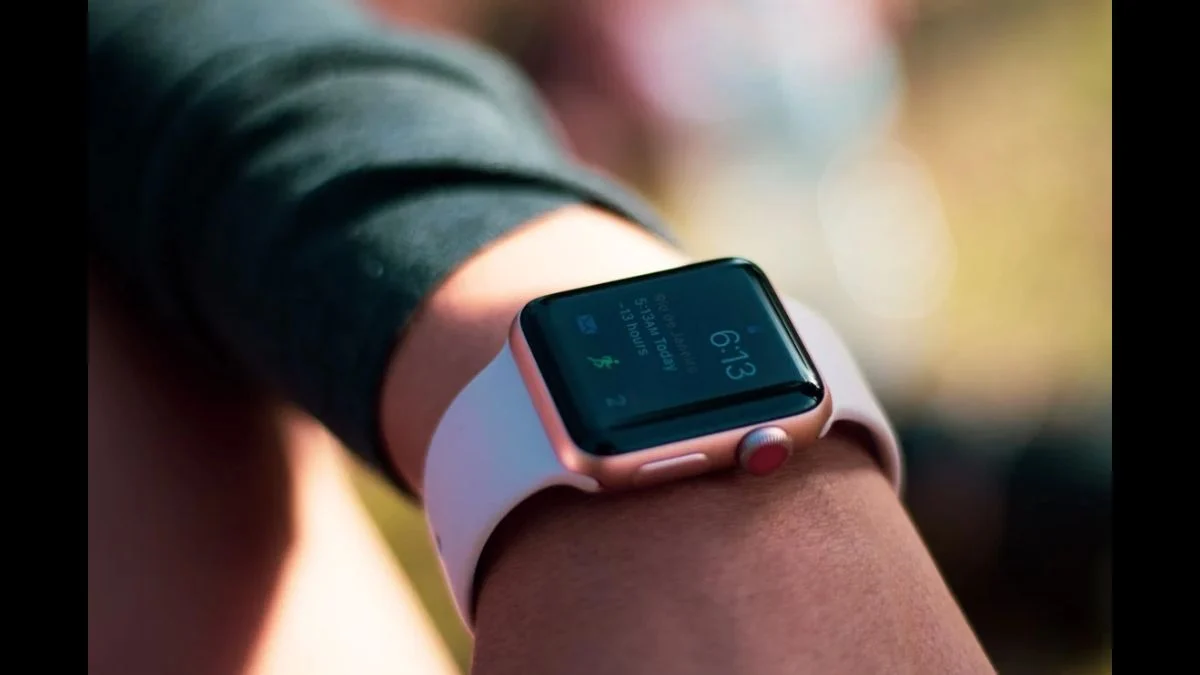
Forgetting a name, missing an important instruction or struggling to remember something someone said moments earlier could become less frustrating for Apple Watch users. Apple is testing new Audio Intelligence features that aim to turn the smartwatch into a short-term memory assistant, offering a way to revisit recent speech and recall the main points of conversations.
However, the technology comes with an important distinction: Apple is not introducing a conventional conversation recorder. Its new features use artificial intelligence to process speech, display temporary text and generate summaries, while following a privacy-focused processing system. The approach raises interesting questions about how much a wearable device should remember about the conversations happening around its owner.
Apple Watch Live Rewind Can Show the Last 15 Seconds of Speech
The headline feature in Apple’s new Audio Intelligence package is Live Rewind, designed for situations where someone has said something that the wearer did not fully catch.
Instead of asking the other person to repeat themselves, users can double-press the Digital Crown on their Apple Watch to display a text snippet containing the previous 15 seconds of speech.
The feature could prove useful during everyday conversations, particularly when someone mentions an unfamiliar name, gives a set of directions or shares information that the listener wants to check again.
However, Live Rewind does not continuously transcribe conversations in the background. It activates when the wearer deliberately performs the double-press gesture, after which the watch displays the recent speech as text.
There is also a limited window for accessing the information. Apple says the temporary Live Rewind snippet disappears permanently from the Apple Watch approximately 30 seconds after the display has dimmed, unless the user chooses to save it to the Siri app or uses the Ask Siri option.
This means Live Rewind is not designed to let users freely replay previous conversations. It provides a temporary text representation of recent speech rather than a conventional audio recording.
Following Apple’s App Store Changes
Apple’s evolving software policies are also affecting how age ratings are handled for certain apps and AI-related experiences. Readers following Apple’s latest platform changes can explore our Apple dating app age rating rules report.
Siri Can Answer Questions About What You Just Heard
Apple has connected Live Rewind with Siri, allowing users to do more than simply read the displayed text.
Once the 15-second snippet appears, users can ask Siri about its contents. They can also choose to save the information to the Siri app for later access.
Saved Live Rewind snippets appear in the Recaps tab of the Siri app. Unlike the temporary text displayed on the watch, saved snippets can be viewed, edited, deleted or exported to other applications, including Notes and Journal.
If users take no action, the temporary text disappears after the specified retention period.
Apple also highlights an important limitation: Apple Intelligence-generated content may be incomplete or inaccurate. Users should therefore verify important information with the people involved or another reliable source rather than treating an AI-generated snippet as an unquestionable record.
Siri Recap Takes Conversation Memory Beyond 15 Seconds
While Live Rewind focuses on speech that someone has just missed, Siri Recap takes a broader approach.
The feature can take notes on conversations ambiently and create high-level summaries that help users remember what was discussed throughout the day.
Unlike a detailed transcript, Siri Recap is designed to capture the main points of a conversation. It condenses the information into a brief summary rather than preserving every spoken sentence.
Apple also allows users to configure when and where Siri Recap operates. Its settings can include schedules based on time, location or both. For example, someone could configure the feature to operate during working hours, activate it at a particular location or prevent it from running during certain periods.
Users can also manually switch Siri Recap on or off through Control Center.
The feature is therefore intended to function as a memory aid rather than a permanent, searchable archive of everything spoken around the wearer.
Siri Recap Does Not Identify Individual Speakers
There is another important limitation concerning how the feature handles conversations.
Apple says Siri Recap does not identify individual speakers or attribute specific statements to particular people. Although a person’s name may appear in a summary if it is mentioned during the conversation, the system does not establish who said each statement.
Live Rewind follows a similar approach. It can display recent speech but does not identify which individual spoke each line.
Apple says this design forms part of its approach to protecting the privacy of people nearby.
Apple Watch Plays an Alert When Live Rewind Is Activated
Given that Live Rewind processes speech from the surrounding environment, Apple has introduced visible and audible indicators to make its activation noticeable.
When someone activates the feature, the Apple Watch produces an audible chime, even when the device is in silent mode or headphones are connected.
The display also shows a full-screen animation and a microphone indicator.
These signals are intended to alert people nearby that Live Rewind has been activated. Combined with the deliberate Digital Crown gesture, they distinguish the feature from a system that silently and continuously records surrounding conversations.
How Apple’s Secure Exclave Protects Conversation Audio
Privacy is one of the most significant aspects of Apple’s Audio Intelligence announcement.
Apple says its new features do not create conventional audio recordings of conversations. According to the company, raw audio cannot be accessed by the operating system, applications, the user or Apple itself.
The system relies on a protected processing environment within Apple’s silicon called the Secure Exclave. On the Apple Watch, the S11 chip provides the secure environment used to process incoming audio.
Apple says the information processed inside this protected area is isolated from the rest of the system and immediately deleted after processing.
This does not mean conversation audio is never analysed. Both Live Rewind and Siri Recap need to process speech to generate text or summaries. The distinction is that Apple says raw audio is handled within its protected architecture rather than retained as an ordinary recording.
Live Rewind and Siri Recap Use Different Processing Methods
Apple has also explained that the two features follow different processing workflows.
For Live Rewind, speech recognition takes place on the Apple Watch and paired iPhone. If users choose to ask Siri about the displayed text or save the snippet to the Siri app, the information can then be securely processed through Private Cloud Compute.
Siri Recap requires additional processing because it generates summaries from conversations.
The Apple Watch’s Secure Exclave encrypts detected audio and sends it to the Secure Exclave on the paired iPhone. The encrypted audio is decrypted, transcribed and condensed within the iPhone’s protected environment.
Apple says the resulting condensed text is designed to be less than half the length of the original transcript. During this process, filler words, redundancies, non-essential language and conversational tone are removed, leaving the central meaning.
An encrypted version of the condensed information is then sent to Private Cloud Compute, where Apple’s foundation models generate the final summary.
The completed text-based summary is encrypted and returned to the user’s iPhone and Apple Watch.
Apple says information sent to Private Cloud Compute is not stored or accessible by the company and is used only to fulfil the relevant request.
How Long Does Apple Store Live Rewind and Siri Recap Information?
Apple’s retention policies distinguish between temporary information and content users deliberately choose to preserve.
| Feature or information | Storage and retention |
| Live Rewind temporary snippet | Disappears approximately 30 seconds after the display dims |
| Saved Live Rewind snippet | Stored in the Siri app’s Recaps tab |
| Siri Recap summary | Automatically deleted after seven days if not saved or exported |
| Saved information synchronised through iCloud | End-to-end encrypted when the required account protections are enabled |
Users who save Live Rewind snippets or Siri Recap summaries can access them through the Recaps section of the Siri app.
When the information synchronises through iCloud, Apple says it is end-to-end encrypted, provided the account has the required security protections, including two-factor authentication and a device passcode.
Apple says it does not hold the encryption keys, meaning it cannot access this saved end-to-end encrypted information.
Siri Recap Is Designed to Filter Sensitive Information
Apple has also built content-filtering measures into Siri Recap.
The company says the system is designed to omit certain sensitive categories, including financial data, government-assigned identifiers, authentication data and certain personal identifiers.
It is also designed to exclude potentially harmful content, including language promoting self-harm or hateful speech.
However, Apple cautions that automated filtering cannot guarantee the removal of every sensitive detail.
Consequently, users should not consider Siri Recap an infallible privacy filter or assume that every private detail will automatically be excluded from generated summaries.
Which Apple Watch Models Support Live Rewind and Siri Recap?
The new conversation features require newer Apple Watch hardware and a compatible iPhone running Apple’s latest beta software.
Apple currently lists the following supported watches:
- Apple Watch Series 12
- Apple Watch Ultra 4
Users also need a compatible iPhone with Apple Intelligence and Siri AI in beta. Apple’s current support documentation lists supported iPhone models beginning with the iPhone 16 generation, alongside newer compatible models.
These hardware requirements are connected to Apple’s Audio Intelligence processing architecture and the Secure Exclave capabilities provided by the newer S11-based Apple Watch hardware.
The broader Audio Intelligence package also includes Sound Recognition and automatic Music Recognition with Shazam. Apple lists Series 12 and Ultra 4 support for these capabilities, although compatible iPhones can include older models than those required for Live Rewind and Siri Recap.
When Will Apple Watch Audio Intelligence Be Available?
The features are currently being tested rather than released as finished public features.
On November 3, 2026, Apple began testing iOS 27.3 and watchOS 27.3. Reporting from the first developer beta confirmed that Live Rewind and Siri Recap had become available for beta testing.
Both features are being tested through watchOS 27.3 beta, with the corresponding iOS 27.3 beta also required.
Apple’s September announcement had already indicated that Apple Watch Audio Intelligence capabilities would arrive in beta later in 2026.
According to Apple’s support documentation, Live Rewind and Siri Recap will initially support English, with additional languages planned.
There are also age and regional restrictions:
- The features are unavailable to users under 13.
- For users under 18 with a Child Account, a parent or guardian must enable access.
- The initial language availability is English.
- Apple’s newest Siri AI experience is not initially available in the European Union on iOS, iPadOS and watchOS.
As of November 5, 2026, the features remain in beta testing and are not part of a general public release.
Apple Watch Audio Intelligence Also Includes Sound and Music Recognition
Live Rewind and Siri Recap are only part of Apple’s broader Audio Intelligence system.
The package also includes Sound Recognition, which can detect important environmental sounds such as sirens, alarms and doorbells and notify the wearer. Apple highlights this capability as particularly useful for people who are deaf or hard of hearing.
Another addition is automatic Music Recognition with Shazam. When enabled, the Apple Watch can identify music playing nearby and display the song and artist in the Smart Stack.
Together, these capabilities demonstrate Apple’s broader effort to use smartwatch microphones and Apple silicon for contextual audio features while relying on its on-device processing and Private Cloud Compute architecture.
Tracking Apple’s Latest Hardware Issues
Apple’s newest hardware releases have also generated coverage around device durability and early user concerns. For another Apple hardware story, see our Apple iPhone Duo screen cracks response report.
Conclusion: Apple Watch Is Becoming a Short-Term Memory Assistant
Apple’s new Audio Intelligence features introduce two different ways to remember conversations without turning the Apple Watch into a conventional audio recorder.
Live Rewind helps users catch something they missed by displaying a temporary text snippet of the previous 15 seconds of speech. Siri Recap, meanwhile, creates high-level summaries designed to help users recall the broader substance of conversations later.
Apple’s privacy architecture, activation alerts, temporary retention policies and encryption protections form a significant part of the announcement. However, the company also acknowledges that AI-generated information can be incomplete or inaccurate.
For now, both features remain in beta, with compatible hardware, software, language and regional requirements. Their eventual public release will determine how widely Apple Watch users can adopt this new approach to everyday conversation memory.
Source and Research Disclaimer: This article has been prepared using the Apple support documentation, Apple Newsroom announcement, developer beta information and reporting provided below. It reflects the information available as of November 5, 2026. Compatibility, availability and feature behaviour may change during beta testing or before the final public release. The article does not claim independent verification beyond the information contained in these sources.
Sources:
- Apple Support – About Audio Intelligence Features on Apple Watch Series 12 and Apple Watch Ultra 4
- Apple Newsroom – Siri AI and Next-Generation Apple Intelligence
- 9to5Mac – Everything New in iOS 27.3 Beta 1
- MacRumors – Everything New in the iOS 27.3 Beta
Featured Image Credit: Ingo Joseph / Pexels


Leave a Reply