

As you play to create the garden of your dreams in the Roblox game, Grow a Garden, you will need something more than just ideas, you will need resources. Whether it is a plant seed, pet, sheckles (in-game currency), or decorative items, every little item contributes to the final design of your garden.
While the in-game activities and rewards will give you a constant supply of Sheckles and other items, there is always room for something extra. And this is exactly why over 3 million active players look forward to the release of new codes for Grow a Garden, to claim that extra bonus.
This guide has answers to all your questions regarding the Grow a Garden redemption process and the codes that are working right now.

All Latest Codes for Grow a Garden
As of March 1, 2026 there have been no new codes released for the month of March.
Recently Released Codes
The recent Zen Update comes with a new code for Grow a Garden. Some of them might still be active:
| All Working Grow a Garden Codes | Rewards |
| RDCAward | RDC Award cosmetic x 1 |
| BEANORLEAVE10 | Green Bean Chamber cosmetic x 1 |
| GAGTRADINGCOMINGSOON2 | In-Game Rewards |
| torigate | Whispering Torii (Cosmetic item) x 1 |
Make sure you paste or type the code without any spaces or capitalization. Doing so can result in failure in redemption.
How To Redeem Grow a Garden Codes on Roblox?
While finding the new codes for Grow a Garden may require patience, redeeming them is a breezy process:
- Start by launching Roblox game client on your device.
- Search and load the game, Grow a Garden.
- Let the game lobby to reveal the game’s landing page.
- Click on the Cogwheel icon (Settings) on the top left of your device screen.
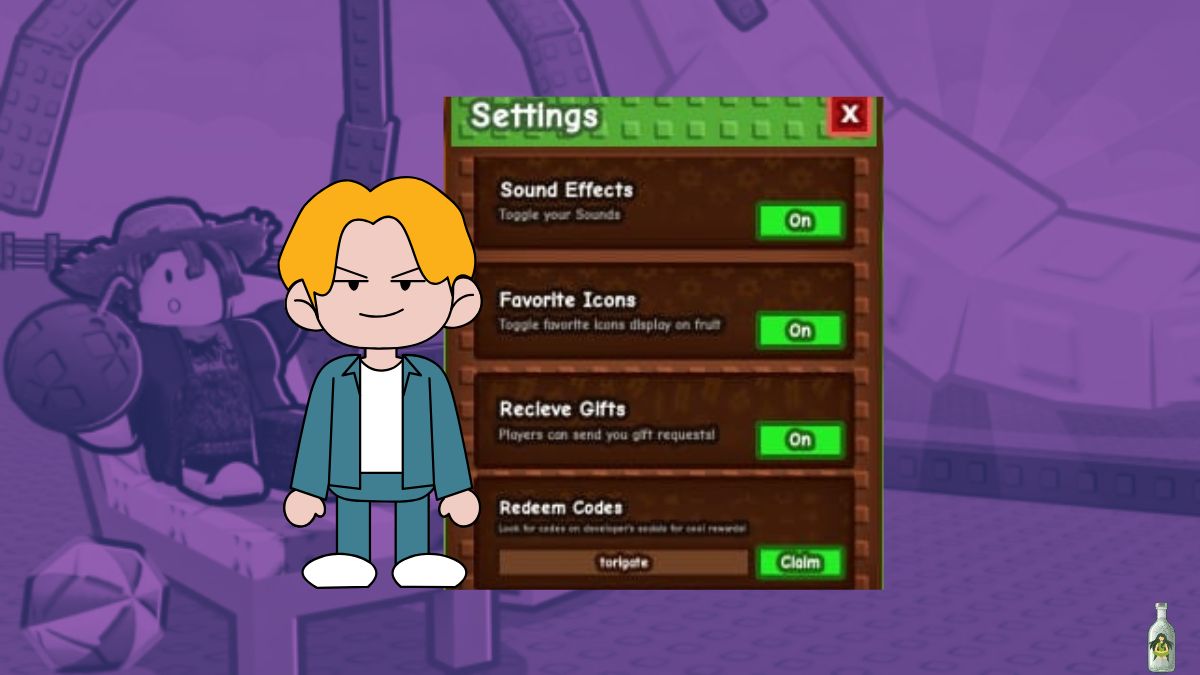
- Paste or type the active code into the “Type code here…” text box at the third section of the Settings.
- Hit the Claim button beside the code text box.

Now, if the code you typed in is correct and active, your rewards will be transferred to your game account that very instant. However, if the code has expired, you will not be able to claim it.
Why My Grow a Garden Code is Not Working?
There could be more than one reasons why your Grow a Garden code might not be working, these include:
- The code has expired
- The code is typed or pasted incorrectly (typo, case sensitivity issue, or additional gap).

Where Can I Find New Grow a Garden Codes?
The developer, The Garden Game usually offers new codes during game events and updates. While we will be updating the codes in our active codes section as soon as the new codes come by, you can also check for latest codes here:
If you still have any trouble regarding Grow a Garden codes redemption, feel free to leave a comment below


Leave a Reply